

Intro: Why Choose a Subscription-Free Smart Home Security System?
A home security system should protect your household without creating a second concern: who else can access your security data, how long that data is stored, and what happens when you stop paying a monthly fee.
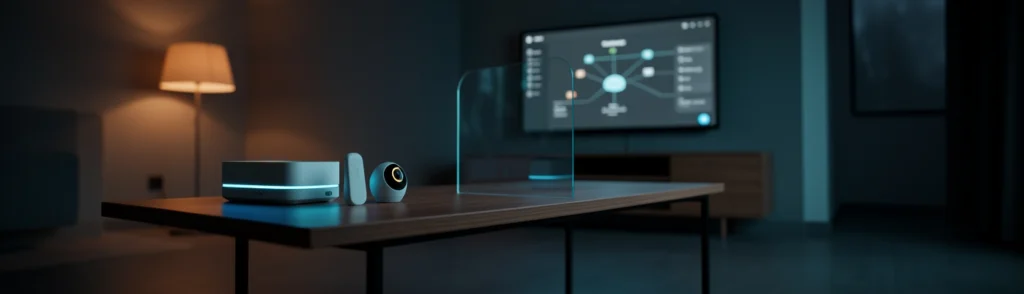
A subscription-free smart home security system offers a practical alternative. Instead of relying on mandatory cloud monitoring, it uses devices such as entry sensors, motion sensors, a central hub, and optional cameras to detect activity and notify you directly. Many systems can store data locally, allowing you to manage your home’s security without automatically sending every event to a remote service.
This approach does not mean giving up convenience. You can still receive smartphone alerts, arm or disarm the system remotely, and add more sensors as your needs change. The main difference is that you take more responsibility for installation, maintenance, emergency response, and privacy settings.
A privacy-first DIY system is a strong fit for:
- Apartment residents and renters who cannot install wired equipment
- Homeowners who want to avoid monthly monitoring charges
- People who prefer local video storage security
- Households that want simple door, window, and motion alerts
- Privacy-conscious users who want to reduce cloud data collection
- People comfortable testing equipment and replacing batteries
It may be less suitable for someone who wants a professional team to install, monitor, and respond to every alarm. A subscription-free system can notify you of an intrusion, but it generally does not dispatch emergency services automatically unless you separately arrange that service.
Think of it like owning a smoke detector rather than paying for a staffed fire-monitoring service. The detector can alert you immediately, but you and your household must decide what to do next.
This guide explains how DIY home security sensors work, why local storage matters, and how to approach an Eufy alarm system setup. It also covers:
- Upfront equipment costs versus recurring fees
- Local storage and cloud privacy controls
- Entry and motion sensor placement
- Smartphone notifications without a required subscription
- Battery maintenance and coverage gaps
- The differences between self-managed and professionally monitored systems
- Future developments in privacy-first smart homes
The objective is not to suggest that every household needs the same equipment. Instead, it is to help you build a system based on your home’s layout, risk level, budget, and comfort with self-monitoring.
Background: What Is a Subscription-Free Smart Home Security System?
A subscription-free smart home security system typically consists of a central hub and several wireless sensors. The hub connects to your home network and communicates with sensors placed around doors, windows, hallways, and other areas. When a sensor detects activity, the system can sound an alarm, send a phone notification, or trigger another compatible device.
Some systems also support cameras, but cameras and sensor-based alarms serve different purposes. A sensor tells you that something happened. A camera may help you understand what happened. Keeping those functions separate can reduce the amount of video recorded inside your home.
DIY home security sensors are designed to identify changes in the environment. Most use simple, low-power technologies that are easy to install without an electrician.
Entry Sensors for Doors and Windows
An entry sensor usually has two small pieces: one attached to the frame and another attached to the moving door or window. When the two pieces separate, the system registers an opening.
These sensors are useful for:
- Front and back doors
- Garage doors
- Patio doors
- Ground-floor windows
- Basement windows
- Interior doors leading to restricted areas
Placement matters. The sensor should be firmly attached, aligned correctly, and positioned where opening the door or window creates enough separation to trigger an event. Before relying on it, open and close the protected entry point several times while checking the app.
An entry sensor is similar to a simple light switch. It does not identify who opened the door; it reports that the physical state changed.
Motion Sensors for Hallways and Rooms
Motion sensors commonly use infrared technology to detect changes in heat patterns caused by movement. They are useful in hallways, living rooms, staircases, and other areas an intruder would likely cross.
Avoid pointing motion sensors directly at:
- Large windows with strong sunlight
- Heating vents
- Ceiling fans
- Areas with frequent pet movement
- Locations where furniture blocks the detection path
A motion sensor works best when placed across a likely path rather than aimed at a doorway from very close range. Test it while walking through the room at different times of day. The objective is to detect meaningful movement while reducing false alarms.
Local video storage security means recordings or system event data are stored on a hub, memory card, network-attached storage device, or another location under your control. Cloud-only systems send recordings to remote servers, often requiring a monthly plan for extended history, advanced detection, or playback.
Local storage can reduce:
- Dependence on an ongoing subscription
- The number of companies handling your recordings
- Exposure to account-based data breaches
- Internet-related recording interruptions
- Uncertainty about how long footage remains available
However, local storage is not automatically risk-free. If someone steals the hub, damages it, or gains access to your home network, locally stored data may still be exposed. Use a strong account password, enable multifactor authentication when available, update firmware, and place the hub somewhere less obvious.
A balanced approach may keep routine security events local while using cloud access only when you deliberately enable it. Before purchasing, review whether cloud features are optional or required.
Before shopping, prepare a basic security map of your home. Mark every exterior door, accessible window, garage entry, and route between common rooms.
You will generally need:
- A central hub
- Entry sensors
- One or more motion sensors
- A phone for setup and alerts
- Reliable Wi-Fi or another supported connection
- Batteries or rechargeable power sources
- Optional cameras
- A backup plan for internet or power outages
You should also decide who receives alerts. Sending notifications to too many people can create confusion, while sending them to only one person can create a single point of failure.
Trend: Why Smart Home Privacy Is Driving Local Security
Smart home privacy has become a major consideration because connected devices can reveal routines, occupancy patterns, and household behavior. A camera recording the living room is not just capturing an image; over time, it may show when people leave, when children return from school, and which rooms are used most frequently.
That information deserves the same care as financial or medical data.
Consumers are increasingly comparing the total cost of connected devices rather than looking only at the purchase price. A system that appears inexpensive may become costly when advanced alerts, video history, cellular backup, and professional monitoring are placed behind a monthly plan.
Local control changes the calculation. You pay more upfront for hardware, but the system can remain useful without a continuing service contract. This is particularly appealing to renters, budget-conscious households, and people who do not want their security equipment to become inactive when a subscription ends.
Local storage does not eliminate every cloud connection. A phone alert may still pass through a vendor’s notification infrastructure, and remote access may require internet services. However, it can reduce the need to upload and retain full video histories.
That distinction is important. A brief event notification contains less information than weeks of continuous footage.
For example, consider two systems:
- One stores every camera clip remotely for 30 days.
- Another stores clips at home and sends only an alert unless you request remote access.
The second design generally exposes less routine information, although its privacy still depends on encryption, account security, software updates, and vendor policies.
A privacy-first smart home follows the principle of collecting only what is necessary. Instead of installing cameras in every room, you might use entry sensors on doors and motion sensors in selected areas. Instead of recording continuously, you might record only when an alarm is triggered.
Practical privacy controls include:
- Avoiding indoor cameras where sensors are sufficient
- Disabling audio recording unless genuinely needed
- Using privacy zones on cameras
- Reviewing app permissions
- Creating unique user accounts
- Removing old household members from access
- Updating devices promptly
- Choosing products with clear retention controls
Insight: 5 Benefits of a Subscription-Free Smart Home Security System
The most obvious benefit is predictable cost. After purchasing the equipment, you can use core alarm functions without paying a monthly monitoring fee.
This can be especially valuable for a small home that needs basic alerts rather than professional dispatch. The trade-off is that you become responsible for responding to those alerts.
Local storage gives you more direct control over system information and, when cameras are included, recorded footage. You can decide where the hub is placed, how long recordings remain available, and which people can access the account.
Local control should be paired with good security habits. Use a strong password, protect the hub physically, and avoid placing sensitive devices in an exposed location near the front door.
Wireless DIY home security sensors can often be installed with adhesive strips or screws. This reduces installation time and makes the system more suitable for renters.
A typical installation is closer to placing a wall-mounted thermometer than rewiring a house. Still, “easy” does not mean “install anywhere.” Sensor alignment, signal range, mounting strength, and battery access all matter.
Many systems can send alerts through a free mobile app when a door opens, motion is detected, or an alarm is activated. This gives you timely information without requiring a paid monitoring plan.
Before relying on alerts, test:
- Whether notifications arrive promptly
- Whether your phone’s operating system permits them
- Whether alerts work when you are away
- Whether multiple household members can receive them
- What happens during an internet outage
A modular system allows you to start with the highest-priority areas and add equipment later. You might begin with the front door, back door, and hallway, then add garage or window sensors after reviewing your coverage.
This avoids the cost and complexity of buying every possible accessory on day one.
Neither approach is universally better. The right choice depends on your budget, risk tolerance, schedule, and ability to respond.
Cost and Contract Comparison
A DIY system usually requires a larger upfront purchase but may have no recurring core fee. Professional systems may include installation, equipment financing, monthly monitoring, and contract terms.
Privacy and Data-Control Comparison
A local-first DIY system generally offers more direct control over data. Professionally monitored systems may process alarm events through a monitoring center and may rely more heavily on vendor infrastructure.
Emergency Response and Coverage Comparison
Professional monitoring can contact emergency services according to preset procedures. A self-monitored system alerts you or other designated users, who must assess the situation and call for help.
The difference is similar to comparing a home medical monitor with a staffed emergency response service: both can detect an issue, but only one automatically places trained personnel into the response process.
An Eufy alarm system setup commonly centers on a hub, a keypad, entry sensors, a motion sensor, and a mobile app. Exact package contents can vary, so check the current product listing and compatibility information before buying.
HomeBase Hub and Local Storage
The HomeBase hub serves as the communication center. Sensors connect to it, and compatible system information may be stored locally. Place the hub in a central position with a reliable connection, but avoid putting it in an obvious location that could be quickly unplugged or damaged.
Keypad, Entry Sensors, and Motion Sensor
A starter kit may include a keypad for arming and disarming, several entry sensors for doors and windows, and a motion sensor for a hallway or common room.
The keypad is useful for guests and family members who may not want to use the app. It also provides a physical control point near an entrance.
App Alerts, Arming, and Disarming
The app typically guides users through hub connection, sensor pairing, naming, and alert configuration. Give each sensor a clear name, such as “Kitchen Window” or “Garage Door,” rather than generic labels.
During setup, review privacy options instead of accepting every default permission. Only enable remote access, microphone access, location access, or cloud features when you understand why they are needed.
Battery Replacement and Maintenance
Wireless convenience creates a maintenance obligation. Batteries can weaken gradually, and a sensor may stop reporting if its battery is depleted.
Create a schedule to check battery status every few months. Keep replacement batteries available, and test sensors after replacing them.
Coverage Gaps in Larger Homes
A starter kit may cover an apartment or small house but leave gaps in a larger property. Thick walls, metal surfaces, multiple floors, and detached garages can reduce communication reliability.
Walk through your home and identify areas that need additional equipment before assuming the included sensors are sufficient.
Why Cameras May Cost Extra
Alarm kits often do not include cameras. If you want to see what caused an alert, you may need to purchase compatible cameras separately.
This can be a privacy advantage because you can choose whether cameras are necessary at all. A few well-placed outdoor cameras may provide useful context without recording private indoor spaces.
Forecast: The Future of Privacy-First Home Security
Future systems are likely to process more events directly on the hub or device. Instead of sending raw video to a remote server to identify movement, a local processor could determine whether the event appears to be a person, vehicle, pet, or false alarm.
This approach could reduce bandwidth use and limit exposure of sensitive footage. It may also make alerts faster when internet service is slow.
Fully local systems offer control but can be harder to access remotely and may lack advanced artificial intelligence features. Cloud systems offer convenience and powerful processing but require more data sharing.
A hybrid model may become the practical middle ground. Routine events could stay local, while users could voluntarily send selected clips to cloud services for advanced analysis. Clear controls should allow people to understand exactly what leaves the home.
When evaluating future DIY home security sensors, look for:
- Local processing options
- Encrypted communication
- Long battery life
- Offline alarm behavior
- Transparent software updates
- Detailed retention controls
- Multifactor authentication
- Open integration standards
- Visible status indicators
- Easy device removal and account deletion
Privacy should be a product feature, not an assumption.
Call to Action: Build Your Subscription-Free Smart Home Security System
Begin with a floor plan. Mark exterior entrances, accessible windows, stairways, hallways, and rooms containing valuable equipment. Prioritize likely entry points rather than trying to monitor every square foot immediately.
Select a hub with local storage if minimizing cloud dependence is important to you. Read the privacy policy and product documentation before installation. Confirm which features work without a subscription and which require a paid plan.
Connect the hub, update its firmware, pair each sensor, and assign useful names. Install entry sensors with careful alignment and position motion sensors away from heat sources and direct sunlight.
Set up the keypad and create access codes thoughtfully. Avoid using easily guessed codes such as birthdays or house numbers.
Trigger every sensor and confirm that the correct alert reaches the intended phones. Test the system while the household is asleep, while people are moving normally, and when the internet connection is temporarily unavailable if the system supports that scenario.
Review coverage after a week. If you receive too many false alarms, adjust placement or sensitivity. If an area is not reliably detected, add or reposition equipment.
Conclusion: Is a Subscription-Free Smart Home Security System Right for You?
A subscription-free smart home security system is a strong option for people who want useful alerts, local control, and predictable costs without mandatory monthly monitoring. It works particularly well in apartments, smaller homes, and households willing to handle installation and maintenance.
It is not a complete replacement for professional monitoring in every situation. People who travel frequently, live in high-risk areas, or cannot respond to alerts may prefer a professionally monitored service or a hybrid arrangement.
Before considering your system complete, confirm that you have:
- Mapped all important entry points
- Installed sensors securely and correctly
- Placed the hub in a protected central location
- Enabled strong passwords and multifactor authentication
- Reviewed cloud, audio, camera, and location permissions
- Tested every sensor and smartphone alert
- Created a plan for responding to alarms
- Scheduled battery checks
- Considered internet and power-outage limitations
- Avoided unnecessary indoor cameras
- Documented who has system access
- Reviewed coverage as your household changes
The best privacy-first security system is not necessarily the one with the most devices. It is the one that protects the areas that matter, limits unnecessary data collection, and remains reliable because you understand how it works.