
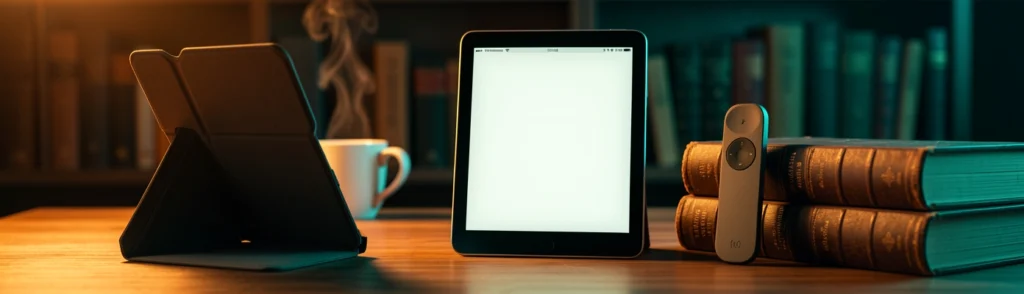

Intro: Is a Kindle Page-Turn Remote Worth Buying?
A Kindle is already a relatively simple device: open a book, tap the screen, and read. That simplicity makes accessories easy to overlook. Yet for readers who spend hours with an e-reader, small changes can have a meaningful effect on comfort.
The Kindle page-turn remote and the Kindle Page-Turn Cover solve a similar problem in very different ways. Both let you move forward and backward through an ebook without relying entirely on a touchscreen. The remote does this wirelessly from a distance, while the cover adds physical buttons directly to the Kindle itself.
The better purchase depends on what “convenience” means to you. If you want to read while exercising, relaxing under a blanket, or using a stand, the Kindle Click remote is more flexible. If you want the tactile feel of buttons every time you read, the Page-Turn Cover is more integrated.
The difference is similar to choosing between a wireless mouse and a laptop with a built-in trackpad. The mouse gives you flexibility and distance, while the trackpad is always attached and ready to use. Neither is universally better; the right choice depends on how and where you use it.
| Feature | Kindle Click | Page-Turn Cover |
|---|---|---|
| Main function | Wireless page turning | Built-in page buttons |
| Best for | Hands-free reading | Tactile control |
| Compatibility | Select 2024-and-newer models | Select premium models |
| Approximate cost | $35 | $80 |
| Kindle required | Existing compatible Kindle | Premium compatible Kindle |
| Extra control | Front-light brightness | Protection and buttons |
The Kindle Click is generally the more affordable way to add remote page turning. The cover costs more, but it also replaces a conventional case and permanently adds buttons to the reading setup.
The Kindle page-turn remote is the better option for hands-free reading. You can place a Kindle on a stand, pillow holder, treadmill shelf, or nearby table and turn pages without reaching toward the display.
That makes it useful in situations where holding the e-reader is awkward. For example, an elliptical workout can make tapping a small screen uncomfortable. A remote positioned in your hand lets you keep the Kindle stable while reading at a consistent distance.
It is also useful in bed. Instead of pulling one hand out from under a blanket every few minutes, you can keep the remote beside you and turn pages with a thumb press.
The Kindle Page-Turn Cover is the better choice for readers who specifically want physical buttons on e-readers. Its buttons sit along the side of the case, creating a layout that resembles older button-equipped Kindles and the discontinued Kindle Oasis.
The buttons are available whenever you pick up the Kindle, without needing to locate or separately charge a remote. They also provide tactile feedback, which can reduce accidental taps and make page turning feel more deliberate.
Background: What Is a Kindle Page-Turn Remote?
A Kindle page-turn remote is a small Bluetooth accessory that sends page-forward and page-back commands to a compatible Kindle. Amazon’s Kindle Click is designed for this purpose.
Unlike clip-on screen tappers, the Click does not physically touch the display. It communicates with the Kindle wirelessly, which means it can be held several feet away while the e-reader remains on a stand or another surface.
The remote has two primary page-turn buttons. It also includes side controls for adjusting the Kindle’s front-light brightness. After pairing, it can reconnect automatically when the Kindle and remote are nearby, provided Bluetooth remains enabled.
The important limitation is that it is a reading control, not a complete Kindle controller. It is intended to move through the current reading experience rather than replace touchscreen navigation.
Physical page-turn buttons were once common on Kindle devices. Earlier models, including the Kindle Keyboard, relied on dedicated controls for navigation. As touchscreens became standard, Amazon moved most interaction onto the display.
That change made Kindles cleaner and easier to design, but it removed a feature some readers valued. Touchscreens are intuitive, yet they require you to place a finger on the display. A physical button can be pressed by feel without covering text or worrying about a misread gesture.
The Kindle Oasis later brought physical page-turn buttons back as a premium feature. However, Amazon discontinued the Oasis line, leaving readers without a current mainstream Kindle designed around tactile controls.
The Kindle Click and Kindle Page-Turn Cover represent two different responses to that gap. One restores remote control; the other adds buttons through an accessory.
Compatibility is the most important issue before buying either accessory. Kindle products can look similar across generations, while their dimensions, connectors, sensors, and software support may differ.
The Kindle Click works only with supported newer Kindle models, generally devices released in 2024 or later. Older Kindles may have Bluetooth hardware for headphones but still lack the firmware support required for Amazon’s page-turn remote.
The Page-Turn Cover is even more selective. It requires a Kindle with the appropriate metal backing, pogo-pin connections, accelerometer, and software support.
The Kindle Click is designed for compatible 2024-and-newer Kindle models. The exact supported list should be checked before purchase because Amazon’s compatibility may vary by generation and model.
The remote is particularly relevant for newer Paperwhite models, including premium configurations. Bluetooth support alone is not enough. An older Kindle that connects to wireless headphones may not recognize the Click.
This is an important distinction: hardware capability and official accessory compatibility are not always the same thing. It is like owning a smartphone with Bluetooth but discovering that a particular smartwatch requires a newer operating system.
The Page-Turn Cover is designed for select premium models, including the compatible Kindle Paperwhite Signature Edition and Kindle Colorsoft Signature Edition generations.
These devices include the physical features needed by the case:
- Metal backing for magnetic attachment
- Pogo pins for electrical connection
- An accelerometer for orientation detection
- Software support for the button controls
A standard Kindle or ordinary Paperwhite case cannot be assumed to support the page-turn buttons. Even a cover with the correct screen size may not work if the rear connection points are missing.
Trend: Why Physical Buttons on E-Readers Are Returning
Physical controls are making a modest comeback across e-readers. The trend does not mean touchscreens are disappearing. Instead, manufacturers are recognizing that different reading situations call for different input methods.
Readers who prefer physical buttons often cite three benefits: tactile feedback, consistent placement, and fewer accidental screen touches.
A button can be located by touch, much like the volume keys on a phone. You do not need to look away from the page to find it. Physical controls can also be more comfortable for readers with limited dexterity or anyone using a Kindle while moving.
At the same time, buttons add cost, weight, and design complexity. Amazon appears to be targeting the smaller but persistent group of readers who actively miss them without redesigning every Kindle.
Kobo and Boox helped normalize dedicated e-reader accessories for remote page turning and button-based control. Third-party remotes also became popular among online reading communities, especially readers who use stands and reading pillows.
Amazon’s Kindle ecosystem historically limited this type of accessory. Although many Kindle models included Bluetooth, the connection was primarily intended for wireless headphones. The Kindle Click changes that by officially supporting Bluetooth page-turn commands.
This follows a familiar technology pattern: one company establishes a category, competitors observe how consumers use it, and the larger platform eventually introduces a more controlled version.
The Kindle Click and Page-Turn Cover are not the only ways to turn pages without tapping the display.
Clip-on screen tappers use a small physical arm to touch the Kindle’s display when you press a remote button. They can work with more devices because they do not require official Bluetooth support.
However, they have drawbacks. The attachment can block part of the screen, may require careful alignment, and often supports only one direction of page turning. The mechanism can also become less reliable if the Kindle or clip shifts.
A Bluetooth remote is cleaner. It does not cover the display, can support forward and backward page turns, and is less dependent on physical alignment. The trade-off is limited compatibility.
The Page-Turn Cover recreates some of the Kindle Oasis experience, but it does not make the Kindle identical to an Oasis.
The cover provides two buttons for forward and backward page turns. Users can reverse the button assignments and rotate the device for left-handed use. However, the controls do not handle library navigation, menus, chapter skipping, or advanced shortcuts.
Think of it as adding a steering wheel to a vehicle without adding extra dashboard controls. The main operation becomes easier, but the rest of the interface remains touchscreen-based.
Insight: Kindle Page-Turn Remote vs. Kindle Page-Turn Cover
A remote is useful when a Kindle is placed on an exercise machine or stand. You can keep both hands in a comfortable position while moving through a book.
It will not eliminate every workout distraction, especially on equipment that causes the text to bounce, but it reduces the need to reach for the screen.
For bedtime reading, the remote can be more convenient than a case-mounted button. You can keep the Kindle propped up and operate the remote without changing position.
This is a small improvement, but repeated page turns are exactly where convenience accessories earn their value.
The Click supports both directions, so you can return to a previous page without touching the screen. That is useful when rereading a paragraph, checking a character name, or moving back after an accidental turn.
The side controls can adjust front-light brightness. This is a practical addition because brightness changes are common when moving between daylight and a dark room.
However, the remote does not provide every lighting control a reader might want. Features such as warmth adjustment may still require touchscreen navigation.
After initial pairing, the remote can reconnect automatically when it is nearby and Bluetooth is enabled. That makes everyday use simpler than repeatedly pairing a device.
This convenience resembles wireless earbuds: the first setup takes a little attention, but daily use is mostly automatic.
Pairing takes place through the Kindle’s Settings menu. Once connected, the remote’s central buttons can be assigned to forward and backward page turning.
Its range is sufficient for normal reading setups, such as a Kindle on a bedside stand or exercise machine. The compact design also makes it easy to carry in a pocket or reading pouch.
The approximately $35 price makes it a relatively low-risk purchase for readers who already own a compatible Kindle.
The Click is not a general-purpose remote. It cannot reliably replace the touchscreen for opening a different book, changing settings, selecting a title, or navigating the Kindle library.
That means you should choose your book and prepare your reading environment before settling into hands-free use. If you want audiobook controls, volume adjustment, or shortcuts across different apps, competing e-reader remotes may offer broader functionality.
The cover’s buttons provide a satisfying, predictable press. They can feel faster than touchscreen taps, although the practical difference is small.
The first page turn after attaching the cover may take a moment as the connection activates. After that, button presses are generally responsive.
The case also provides normal protection, a magnetic front flap, and a dedicated bezel for the controls. For readers who need a cover anyway, combining protection and buttons can make the higher price easier to justify.
The physical buttons only handle page turning. The touchscreen remains necessary for opening books, browsing the library, adjusting many settings, and interacting with menus.
The cover also adds bulk compared with a slim case. Readers who prefer a lightweight Kindle may find the button bezel less comfortable, especially when holding the device with one hand for long periods.
The Kindle Click costs approximately $35 before tax. The Page-Turn Cover costs around $80 and requires a compatible premium Kindle.
That makes the cover’s total ownership cost much higher. If you need to purchase a compatible Paperwhite Signature Edition or Colorsoft first, the button-equipped setup can exceed $300.
The remote wins for portability. It is small, separate from the Kindle, and useful in multiple positions. The cover wins for simplicity because the buttons are always attached and cannot be misplaced.
For travel, a remote takes little space. For everyday commuting or casual reading, the cover may be more convenient because it doubles as protection.
The Kindle Click is more flexible within the supported model range. The Page-Turn Cover offers a more integrated experience but is restricted to a narrow group of premium devices.
For most buyers, the remote offers better value. The cover is worth considering mainly when tactile buttons are a priority rather than a nice extra.
Forecast: The Future of Kindle Page-Turn Accessories
Amazon could expand the Kindle Click with controls for audiobook playback, volume, light warmth, or navigation. These features would make it more competitive with advanced remotes from other e-reader brands.
However, additional controls could make the device less intuitive. The appeal of the Click is that its purpose is immediately clear. Amazon may prefer a simple accessory rather than a small, complicated controller.
Future Kindle models may support the Page-Turn Cover or similar accessories if Amazon sees sustained demand. The company could also bring pogo-pin connectors and sensor support to more affordable Paperwhite models.
A full return to built-in buttons across the Kindle range seems less likely. Accessories let Amazon serve button enthusiasts without increasing the cost and complexity of every device.
The next generation of accessories may focus on complete reading setups rather than page turning alone. Readers could see better stands, integrated grips, adjustable lighting controls, and remotes that work across ebooks and audiobooks.
A useful future direction would be a standardized Kindle accessory system that supports remote controls, cases, and stands across several generations. That would reduce buyer confusion and make accessories more sustainable.
Call to Action: Choose the Right Kindle Page-Turn Accessory
Choose the Kindle Click if you want to read from a stand, exercise machine, bedside table, or pillow holder. It is the more affordable and versatile solution for hands-free reading.
It is also the better choice if you already own a compatible Kindle and do not want to replace it.
Choose the Page-Turn Cover if physical controls are central to your reading experience. It provides a button layout similar to the Kindle Oasis while also protecting the device.
The purchase makes the most sense when you already own a compatible premium Kindle or were planning to buy one.
Check the exact Kindle model, generation, screen size, and software compatibility. Do not rely solely on the Kindle’s appearance or the fact that it has Bluetooth.
For the Click, confirm that the Kindle supports the official remote. For the cover, confirm that Amazon lists your exact model rather than a similar-looking device.
The Page-Turn Cover requires specific hardware. The Kindle needs the correct rear connection, magnetic structure, and orientation sensors.
If your Kindle lacks pogo pins or the necessary metal backing, the cover will not gain functionality through magnets alone.
Conclusion: Which Kindle Page-Turn Accessory Should You Buy?
The Kindle Click is the strongest choice for most consumers. It is less expensive, portable, and useful in situations where touching the Kindle is inconvenient.
It works especially well with stands, exercise equipment, and bedside reading setups. Its limitations are clear, but its main function is effective.
The Page-Turn Cover is for readers who genuinely prefer tactile controls. Its buttons are responsive, easy to locate, and integrated into a protective case.
The major drawback is cost. Because compatibility is limited to premium Kindle models, the total expense can be substantial.
In this Kindle accessories comparison, the Kindle page-turn remote offers the better value and broader use case. Buy it if you want hands-free page turning without replacing your current Kindle.
Choose the Kindle Page-Turn Cover if physical buttons are more important than price, portability, or broad compatibility. It is the closest current alternative to an Oasis-style Kindle, but it remains a premium solution.
For most readers, start with the Kindle Click. For dedicated fans of physical buttons on e-readers, the Page-Turn Cover can justify its cost—but only after confirming that your Kindle supports it.