
Why AI Job Replacements Are About to Change Everything in 2026: AI Webcam Privacy and Security Considerations
Intro: What AI job displacement means for webcams in 2026
In 2026, the conversation about AI job displacement won’t stay in the abstract. It will land directly on your desk—on your camera. As companies automate more roles, the “workplace” becomes more AI-mediated: automated meeting intelligence, AI note-taking, automated attendance, and “smart” video experiences that can follow faces, reframe shots, and trigger actions with gestures.
That’s good for productivity. It’s also a privacy and security trap that most people treat like invisible plumbing—until something breaks.
Here’s the uncomfortable pivot: AI job displacement is pushing organizations to rely more heavily on AI interpretation of human presence. When that presence is captured via video, the risk profile changes. You’re no longer just being recorded—you’re being analyzed. And when analysis is paired with remote permissions and connected devices, AI webcam privacy and security considerations become strategic, not optional.
Think of it like this:
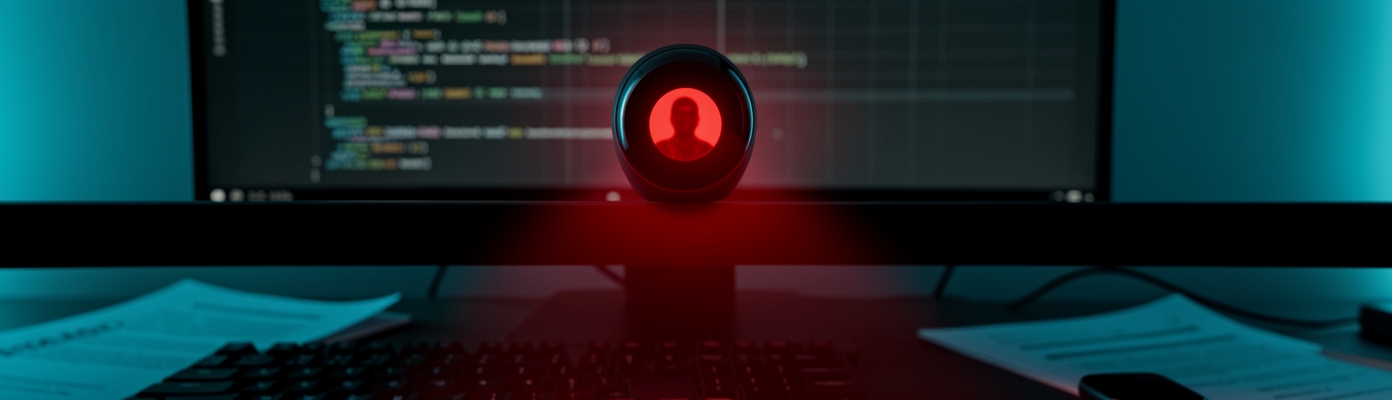
– A webcam used to be a window. In 2026 it becomes a sensor network—like adding motion detectors and microphones to your home without replacing the label on the door.
– AI framing turns meetings into something like a stage production. The camera doesn’t merely show the room; it actively chooses where you “belong” in the frame.
– Gesture controls can act like silent keystrokes. If the system misreads a hand movement, you may trigger captures, streams, or permissions you didn’t intend.
Now add job displacement pressure. If AI systems are replacing tasks that humans used to perform—editing, summarizing, monitoring, triaging—then the “input” to those systems becomes more valuable. Your webcam feed becomes data supply. In 2026, that supply will be harvested more aggressively, and protected less consistently, unless you demand safeguards.
Your goal isn’t paranoia. It’s control.
Background: What is AI webcam privacy and security?
AI webcam privacy and security is what happens when a camera is no longer only a device for capturing pixels, but a device for producing interpretation—faces, identities, focus regions, frames, and sometimes inferred intent.
This includes everything from local processing to cloud upload; from permission prompts to persistent device access; and from model behavior to how video is stored, transmitted, or reused.
In practical terms, AI webcam privacy risks tend to cluster into a few buckets:
– Collection risk: Is the camera capturing more than you think (or longer than needed)?
– Inference risk: Does AI detect and track people in ways that exceed “normal meeting recording”?
– Exposure risk: Is video processed locally or streamed to a service you can’t fully audit?
– Permission risk: Who can access the feed—and under what conditions?
– Interference risk: Can the AI be tricked by visual context, lighting, occlusion, or human movement?
Your security posture has to match that reality. In 2026, the question won’t be “Can my webcam be hacked?” It will be “What data products does my webcam generate, and what could they be used for?”
Before we get into risks, we need a baseline: on-device vs cloud processing privacy basics and a threat model that reflects new remote workflows.
The distinction between on-device vs cloud processing privacy determines where your data “lives” during AI webcam features like framing, face tracking, transcription, and gesture recognition.
On-device processing means the interpretation happens locally on your computer or the webcam itself. Cloud processing means frames or audio may be transmitted to a remote service for analysis.
That’s not a moral issue; it’s an engineering issue. It affects latency, feature quality, auditability, and the number of places your content could be exposed.
A useful analogy:
– If your webcam is on-device, it’s like reading a letter in your own room.
– If it’s cloud-based, it’s like sending the letter to a stranger’s office for interpretation—and hoping they only forward the conclusion.
In remote work, the privacy threat model gets sharper because workflows are dynamic: you join meetings from different locations, share devices, and sometimes rotate contractors or join via temporary accounts.
A solid threat model for 2026 should assume your remote workflow includes:
– Frequent switching between trusted and “semi-trusted” environments (home, hotel, coworking).
– Shared devices or temporary sessions (guest accounts, contractors).
– Multiple software layers (OS permissions, browser permissions, meeting apps, webcam companion apps).
– AI features that change behavior automatically (auto-framing, focus, gesture actions).
Here’s a simple structure to reason about risk:
1. Assets: What are you protecting? (Video feed, face data, transcripts, gesture events, stored recordings.)
2. Adversaries: Who might misuse it? (Malware, compromised apps, over-privileged vendors, negligent settings.)
3. Attack paths: How does exposure occur? (Over-broad permissions, cloud streaming, persistence after meetings.)
4. Impact: What happens if compromised? (Identity linkage, surveillance, embarrassing or sensitive capture.)
5. Controls: What safeguards reduce the chance and damage? (Permissions scoping, local inference, auditing, revocation.)
This threat model matters because the next big risk category is more specific: AI framing and face tracking risk.
AI framing refers to automated camera adjustments—centering on a speaker, maintaining eye-line alignment, and reframing during motion. Face tracking is a specific subset: it detects and follows faces to keep a subject in view.
Both are useful. Both can become privacy problems when they create more surveillance-like metadata than users expect.
A second analogy:
– A framing system is like a security guard with a spotlight—it doesn’t just watch, it actively follows.
– If you didn’t consent to being “followed,” you’ve got a mismatch between expectation and capability.
In many meetings, risk doesn’t look like a breach at first. It looks like normal behavior:
– The camera stays locked on your face even when you turn away.
– The frame adjusts in ways that imply continuous detection.
– Meeting “highlights” capture you when you thought you were off-stage.
– The system implicitly segments who is speaking or present.
That’s why this matters for the broader story: as AI job replacement accelerates, meetings become more “machine-readable.” If AI framing and face tracking risk increases, organizations may use outputs to optimize workflows—sometimes without explicit user control.
The next risk layer comes from interaction: gesture controls.
Gesture controls use hand movements to trigger camera actions—mute/unmute, capture, change framing, start/stop recording, or navigate a meeting interface.
In 2026, the gesture feature may look like convenience, but it should be treated as a command interface. And like any command interface, it needs threat modeling.
A third analogy:
– If AI framing is a spotlight, gesture controls are the remote control—but without physical buttons that you can feel. A misread motion becomes a mis-trigger.
Gesture misinterpretation can cause harm even without “hacking.” It can:
– Trigger recording during private moments.
– Re-enable a camera/mic after you intentionally disabled them.
– Cause AI framing to reacquire faces after you step away.
– Create false-positive “intent” signals (e.g., thinking you want to share or capture).
Threat modeling here means asking:
– What gestures does the system recognize as commands?
– How sensitive is it in low light, motion blur, or unusual angles?
– Can natural movements—typing, gesturing while explaining—trigger actions?
– Are there confirmation cues (on-screen indicators, audible alerts)?
– Are commands reversible immediately, or do they persist?
This sets up the trend section: why these risks accelerate in 2026.
Trend: Why AI framing and face tracking risk is accelerating
The acceleration is driven by three converging forces:
1. AI adoption tied to workforce automation: As AI replaces human parts of knowledge work, video becomes a high-value input stream.
2. Feature bundling: AI framing and gesture controls are increasingly bundled into webcams, not optional add-ons.
3. Permission layering complexity: Modern devices involve OS permissions, app permissions, and companion software—all of which create inconsistent security outcomes.
When AI job displacement increases demand for “efficient” meetings, vendors improve framing and interactions. But security doesn’t automatically keep pace.
The fastest win in AI webcam privacy and security considerations is permissions discipline. If you grant broad access “because it’s easier,” you’ve effectively increased the attack surface.
Treat camera and mic access like high-risk production credentials: scoped, monitored, and revocable.
A strong baseline relies on secure device permissions for remote work—meaning you only allow the minimum required access for the smallest time window.
Use this checklist like a pre-flight routine:
– Enable only camera/mic access for the meeting app(s) you trust.
– Avoid granting system-wide camera/mic access to companion utilities unless you verify what they do.
– Confirm whether AI features require continuous background access.
– Turn off “always-on” camera permissions when you’re not in meetings.
– Revoke access after work sessions, especially on shared or travel devices.
– Check browser permissions separately from OS permissions (they often differ).
– Verify indicator lights and in-app status actually reflect whether the feed is active.
Least privilege is not just security theater. It’s the difference between a “closed door” and an “unlocked window.”
Now connect this to where processing happens: on-device vs cloud processing privacy comparison.
Local inference offers control—but it isn’t automatically risk-free. Cloud processing offers stronger model capability—but increases data exposure surface.
Here’s the tradeoff in plain language:
– Local inference reduces the number of times video leaves your device.
– Streamed video improves features but increases the number of systems that handle your raw feed.
Local inference privacy benefits:
– Fewer external parties handling your frames.
– Smaller exposure during transport.
– Easier mental model: “my device is doing the work.”
Local inference risks:
– You still have to trust the device OS, drivers, and the webcam companion software.
– Model outputs may still be stored locally or shared with apps.
Cloud processing privacy risks:
– Video or frames may be transmitted to remote services.
– Metadata and derived outputs may be retained for analytics or troubleshooting.
– Compliance and deletion guarantees can vary dramatically by vendor.
Actionable safeguard: if a feature offers both modes, prefer on-device. If cloud is required, verify:
– What is sent (full frames vs embeddings)?
– What is retained and for how long?
– Can you opt out of training or analytics?
– Is there end-to-end protection for transport and access control?
Next, we connect these mechanics to something most people miss: job replacement changes what permissions you’ll need—and what metadata the system will depend on.
Insight: Mapping job replacement to AI permissions and privacy
Job displacement in 2026 isn’t only about who gets laid off. It’s about how workflows get reorganized so AI can operate reliably—often by needing richer inputs. That means your webcam becomes part of an automated pipeline.
So the real question becomes: what permissions does the system need to replace human effort, and what privacy controls do you have over those permissions?
A helpful way to map risk to behavior is to think in “decision points,” moments where the system requests access or triggers actions.
Secure permissions should be treated as a set of toggles aligned to moments, not a blanket setting.
When you join a meeting, the system should request access—briefly and explicitly—and then stop when you leave.
AI framing options often control not only how you look in the video, but what the system detects and tracks.
To reduce exposure, configure framing with intent:
– Prefer settings that use limited tracking rather than persistent face lock.
– Disable “always frame” behaviors when you’re not presenting.
– Turn off background acquisition if the feature exists.
– Use manual or semi-automatic framing when privacy is critical.
– Prefer “pause tracking when camera is off” behavior if available.
If a feature can keep tracking during toggles, you should assume it may—so verify and test.
Accessible interfaces are good—but in 2026, accessibility features must be secured like any other control surface.
Gesture commands should be predictable, reversible, and safe under real-world conditions.
To reduce accidental capture:
– Disable gesture commands for actions that start recording.
– Confirm whether hand gestures require a deliberate sequence (e.g., long press or double motion).
– Use a meeting-safe default state: muted/unarmed until you explicitly enable.
– Train yourself to watch for clear visual indicators before and after each gesture.
If gesture commands can’t be scoped by action type (e.g., you can’t separate “mute” from “start recording”), that’s a red flag.
Many organizations will justify AI framing and face tracking by promising measurable improvements: better clarity, fewer missed speakers, more engaging recordings.
But privacy controls should be tied to your outcomes, not vendor metrics.
Match controls to when you truly need AI help:
– Presentation meetings: allow framing assistance, but restrict persistence and cloud streaming if possible.
– Team standups: disable face tracking if it isn’t required for function.
– Client calls: prefer on-device processing and minimize gesture triggers that can start capture.
– Sensitive discussions: turn off AI framing and gesture control entirely, and use manual camera positioning.
Forecast: In 2026, expect employers and vendors to push “smart defaults” that reduce manual effort. Your safeguard is to demand defaults that preserve your consent and minimize exposure. Over time, pressure will grow for clearer standards—otherwise the privacy backlash will expand.
Forecast: 2026 security expectations for AI webcams
Security expectations won’t remain generic. They’ll become device- and feature-specific. In 2026, users will be judged—and protected—based on whether they enforce consistent permission and processing rules.
A likely shift: platforms and OS makers will respond to privacy pressure by adding better indicators, tighter background access limits, and easier permission audits. But you can’t wait for the ecosystem to mature; you need safeguards now.
Treat your webcam stack like a security-critical endpoint, not a consumer accessory.
The baseline should cover both processing types: on-device and cloud.
Do three things regularly:
1. Update device firmware, webcam drivers, and companion apps.
2. Audit permissions weekly or per device environment (home vs travel).
3. Revoke unused access immediately when work ends or when a meeting app changes.
Secure device permissions for remote work should be operational, not theoretical. In the same way ransomware thrives on outdated systems, AI privacy risks thrive on forgotten permissions.
Future-proofing means planning for changes: new meetings, new devices, traveling, and shared workstations.
In travel and shared spaces, tighten the rules:
– Use OS-level camera/mic permission management aggressively.
– Prefer manual camera control instead of gesture commands.
– Disable cloud-assisted features if you can’t validate data handling.
– Consider a dedicated work profile with restricted permissions.
– If the environment is uncertain, assume gesture controls are more likely to misfire and disable them.
Featured snippet: 5 ways to improve AI webcam privacy
1. Prefer on-device vs cloud processing privacy modes when available.
2. Use secure device permissions for remote work and enable only minimum camera/mic access.
3. Disable or limit AI framing and face tracking risk features when you’re discussing sensitive topics.
4. Apply gesture controls threat modeling: disable capture-triggering gestures and confirm indicators.
5. Audit and revoke webcam permissions after each session, especially on shared or traveling devices.
Call to Action: Set your AI webcam privacy baseline today
If 2026 will automate more work, it will also automate more interpretation of you. Don’t let your webcam become the easiest data source available.
Your baseline should be fast to implement, measurable, and repeatable.
Start now, in under 15 minutes:
1. List the apps that currently have camera and mic access.
2. Remove access from apps you don’t use for meetings.
3. Confirm AI feature behavior (framing, face tracking, gestures) matches your comfort level.
4. Switch to on-device processing if offered.
5. Re-test: join a meeting, check indicators, then leave and verify the camera/mic truly stops.
This is the non-negotiable safeguard: minimum permissions reduce both accident and exploitation. If your job requires video only sometimes, your permissions should reflect that—not the other way around.
Future implications: As AI job replacements expand, expect tighter integration between meeting platforms, device assistants, and AI copilots. That integration will likely increase the number of data flows. Your best defense is to keep permission scopes small and processing local whenever possible.
Conclusion: Prepare now for AI job shifts and safer meetings
2026 is shaping up to be the year AI job replacements become operational—meaning more systems will “watch” and interpret work in real time. Your webcam is at the center of that shift, especially with AI webcam privacy and security considerations involving framing, face tracking, and gesture control.
If you act now, you can reduce risk without giving up the productivity benefits that AI offers. Set your permissions like you set your safety locks: deliberately, minimally, and with an audit trail.
The provocative truth is simple: in 2026, “smart” cameras will be everywhere—but control will still be optional unless you enforce it. Prepare now, configure your safeguards, and demand that your meetings stay yours—even as the work around you changes.