
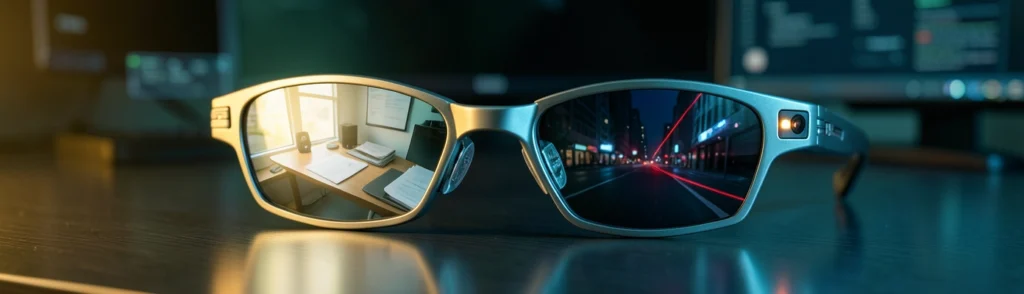

Intro: Are AI Glasses for Productivity Worth Buying?
AI glasses for productivity promise a more natural way to access information, manage tasks, and interact with digital tools. Instead of reaching for a phone or sitting in front of a monitor, users can ask questions, capture notes, receive reminders, listen to instructions, or view virtual screens through lightweight eyewear.
That promise is compelling, especially for people who travel frequently, work across multiple locations, or need hands-free access to information. However, AI glasses are not simply smaller laptops. Their cameras, microphones, sensors, displays, and cloud-connected assistants introduce trade-offs involving privacy, comfort, battery life, accuracy, and social acceptability.
The central question is not whether AI glasses can be useful. They can. The more important question is whether the benefits justify the compromises in your specific work and social environment.
AI glasses may appeal to:
- Hybrid workers who move between home, offices, and public spaces
- Business travelers who need navigation, translation, or quick information access
- Students who benefit from audio reminders and accessibility tools
- Field workers who need hands-free instructions or visual references
- People who frequently capture voice notes, ideas, and to-do items
- Users interested in mixed reality productivity without wearing a bulky headset
For example, a consultant visiting a client could ask the glasses to summarize a spoken reminder or provide directions without interrupting a conversation. A warehouse worker might receive step-by-step instructions while keeping both hands available. A commuter could listen to a calendar reminder without pulling out a phone.
These scenarios are practical, but they depend on reliable voice recognition, strong connectivity, acceptable battery life, and the cooperation of people nearby.
Before buying, ask two basic questions: Can I wear these comfortably for several hours, and will people around me feel comfortable when I wear them?
A pair of glasses can be lightweight and still create pressure on the nose, ears, temples, or eyebrows. Prescription inserts may add weight, while heat from processors and batteries can become noticeable over long sessions.
Privacy is equally important. A small camera may be less obvious than a smartphone, and that can make others unsure whether they are being recorded. Microphones may also capture nearby conversations, even when you are not actively asking the assistant a question.
Think of AI glasses like a digital notebook that can hear and see parts of the world around you. The convenience is real, but so is the responsibility to control what gets captured and how it is used.
Background: What Are AI Glasses for Productivity?
AI glasses for productivity are wearable computers designed to provide digital assistance through a glasses-like frame. Depending on the model, they may include cameras, microphones, speakers, displays, motion sensors, eye tracking, hand tracking, or an AI assistant.
Some models function mainly as audio glasses with cameras and voice features. Others add a visual layer capable of displaying notifications, navigation directions, translated text, or virtual monitors.
Cameras can identify objects, read text, capture images, or interpret the user’s surroundings. Microphones allow voice commands, calls, transcription, and conversational assistants. Speakers deliver responses without blocking the user’s ears.
AI connects these components. A user might ask, “What is written on this sign?” or “Remind me to send this document at 3 p.m.” The glasses then combine sensor input, software, and sometimes cloud-based processing to produce an answer.
The Difference Between AI Glasses and VR Headsets
AI glasses generally preserve awareness of the real world. They may look like ordinary eyewear and provide subtle audio or limited visual overlays. VR headsets, by contrast, usually create a more immersive digital environment and cover more of the user’s field of view.
A VR headset is like stepping into a private theater. AI glasses are closer to adding a smart assistant and small digital labels to everyday life. Some mixed reality devices sit between these categories by showing large virtual screens while still allowing users to see their surroundings.
Where Meta VR Glasses Fit In
Meta VR Glasses represent the more ambitious mixed reality side of the market. Their design separates some computing hardware, battery capacity, and storage from the glasses, potentially making the frames lighter. The glasses can support floating applications, virtual displays, eye tracking, hand gestures, and environmental awareness.
That approach could interest knowledge workers who want several large virtual screens without carrying a physical monitor. However, a separate computing unit adds another device to carry, charge, and protect.
Hands-Free Notes, Reminders, and Information Access
Voice notes can be useful when ideas arrive while walking, driving, or working with equipment. AI glasses may also summarize spoken information or answer quick questions.
Virtual Displays and Focused Workspaces
Mixed reality productivity tools can create virtual monitors larger than the physical lenses. A traveler could work with multiple windows in a hotel room without packing a monitor. The limitation is that virtual displays may not match the sharpness, brightness, or comfort of a high-quality physical screen.
Voice and Gesture Controls for Multitasking
Voice commands and gestures can reduce reliance on keyboards and phones. A pinch gesture might select an item, while a spoken command opens a calendar. These controls are useful when hands are occupied, but they may feel awkward in public or fail in noisy environments.
Portability for Travel and Hybrid Work
AI glasses are easier to carry than a laptop, monitor, and headset combination. They can support navigation, translation, calls, and quick work tasks from airports, trains, and shared offices.
Accessibility Support During Daily Tasks
AI glasses may describe objects, read text aloud, recognize signs, or provide audio cues. For people with visual, motor, or cognitive disabilities, these features could be more than productivity enhancements; they could support greater independence.
Trend: Why Wearable AI Is Moving Into the Workplace
Wearable AI is moving toward the workplace because it reduces the distance between digital tools and physical tasks. Instead of stopping work to consult a screen, users can receive information in context.
A technician, for instance, might look at a machine and receive maintenance instructions. A salesperson could review customer information through audio before a meeting. An employee could dictate a reminder while carrying equipment.
How Cameras and Microphones Capture Nearby People
The wearer controls the glasses, but nearby people may also be captured. A camera can record faces, documents, screens, and private spaces. Microphones may pick up conversations that were never intended for the device.
This creates a social problem that traditional laptops do not present in the same way. A laptop camera is usually visible and directed toward a known area. Glasses can point wherever the wearer looks.
On-Device Processing, Data Storage, and User Controls
On-device processing can reduce the need to send raw audio or images to a remote server. However, “processed on device” does not automatically mean “completely private.” Users should examine what data is stored, how long it remains available, whether recordings are uploaded, and whether content is used to improve AI models.
Useful controls include physical camera indicators, recording alerts, mute switches, deletion tools, permission settings, and clear activity histories. Privacy policies should explain these features in plain language rather than relying only on technical terms.
Floating Windows and Virtual Desktops
Virtual windows can make a small workspace feel larger. A user might place email on one side, a browser in the center, and a video call on the other. This resembles carrying a multi-monitor desk inside a pair of glasses.
The experience may be particularly useful for travelers and people who work in temporary spaces. Yet users still need a practical input method. Virtual screens are less valuable if typing requires an awkward keyboard or unreliable projected controls.
Eye, Hand, and Environmental Tracking
Eye tracking can help users select a window quickly, while hand tracking supports gestures. Environmental tracking allows virtual objects to remain anchored to a table or room.
These features raise additional privacy concerns because the system may map the environment, analyze movement, or track where the user looks. Buyers should understand which sensors remain active and whether tracking data is stored.
Separate Computing Hardware and Lighter Frames
Moving processing and battery hardware into a separate puck or companion device can reduce the weight on the face. This is similar to moving a desktop computer’s heavy components away from a monitor: the screen becomes easier to position, while the overall system still requires extra equipment.
The trade-off is portability. Users must carry the external unit, keep it charged, and maintain a wireless connection.
Open Designs That Preserve Awareness of the Environment
An open design may be safer and more socially comfortable than a fully enclosed headset. Users can see colleagues, hear surroundings, and remain aware of doors, vehicles, and other hazards.
However, openness can reduce immersion and make bright environments challenging. It may also allow distractions to compete with virtual content.
Insight: The Real Trade-Offs of AI Glasses for Productivity
The right choice depends on whether you prioritize discreet assistance or immersive virtual workspaces.
Display Size, Immersion, and Visual Clarity
Smart glasses usually offer limited displays or audio-first interactions. VR and mixed reality headsets can create larger virtual screens and more immersive interfaces. Headsets generally provide better visual scale, but they are heavier and less socially acceptable for everyday use.
Battery Life, Processing, and Connectivity
Small frames have limited room for batteries and processors. Some AI glasses may last a full day for light audio use but much less when cameras, displays, and AI features are active. External computing devices can improve performance while adding complexity.
Privacy Signals and Social Acceptability
Traditional smart glasses may resemble sunglasses, while VR headsets clearly signal that the wearer is using technology. Clear recording indicators can help, but social expectations are still developing.
Weight, Nose Pressure, Heat, and Facial Fatigue
Even a lightweight frame can become tiring after several hours. Pressure may build on the nose and ears, and heat near the temples can become distracting. Comfort is affected by balance, not just total weight.
Prescription Inserts, Fit, and Adjustability
Prescription inserts can make AI glasses more practical, but they may add cost and weight. Buyers should confirm whether inserts are available, how they attach, and whether the frame supports different nose bridges or temple lengths.
Why Lightweight Frames May Still Cause Discomfort
A 100-gram frame may feel comfortable during a short demonstration but different during an eight-hour workday. This is like testing a pair of running shoes by walking around a store: useful, but not equivalent to wearing them for a full marathon.
Recording Consent in Offices and Public Spaces
Workplaces may have rules against recording meetings, screens, or customers. Public spaces are more complicated because local laws and social expectations differ. Always ask before recording a person or private discussion.
Ambient Audio, Image Capture, and AI Analysis
Even when users do not intentionally record, wake-word detection and visual analysis may process nearby information. Sensitive documents, conversations, faces, and location data deserve particular attention.
Privacy Indicators, Controls, and Data Policies
Look for a visible recording light, hardware mute controls, quick camera disablement, local processing options, encryption, and simple deletion tools. If a company’s policy is difficult to understand, treat that as a warning sign.
When Virtual Screens Help With Multitasking
Virtual displays can reduce window switching and make complex workflows easier. A programmer, researcher, or financial analyst may benefit from keeping several information sources visible.
When Notifications and Overlays Create Distraction
Every overlay competes for attention. AI glasses could turn a focused work session into a stream of reminders, messages, and suggestions. Productivity improves only when users can control interruptions.
The Limits of Eye and Gesture-Based Input
Eye tracking can be fast but may select the wrong item when interfaces are crowded. Gestures can fail in poor lighting, while voice commands may be unreliable in noisy offices. Physical keyboards and touchscreens will remain important for precise work.
Forecast: What Will Improve Before AI Glasses Go Mainstream?
Future designs are likely to distribute weight more evenly, reduce heat, improve nose-pad materials, and offer more prescription options. Battery improvements may come through more efficient chips rather than dramatically larger batteries.
Expect stronger recording indicators, automatic privacy modes for workplaces, and more transparent controls. Some devices may notify nearby people when recording begins, though users and businesses will need to decide whether those signals are sufficient.
Smaller, more efficient AI models should allow more processing to happen locally. This can improve responsiveness, reduce cloud dependence, and limit data exposure.
AI glasses will become more useful when they work smoothly with calendars, email, messaging, note-taking tools, accessibility software, and operating systems. Hardware alone will not create a strong productivity platform.
Today, buyers often compare resolution, camera quality, battery life, and price. In the future, they may also compare data retention, model transparency, workplace certifications, repairability, prescription support, and the quality of privacy controls.
Call to Action: How to Choose AI Glasses for Productivity
Decide whether you need audio reminders, navigation, transcription, virtual monitors, accessibility support, or hands-free instructions. Avoid paying for immersive features if your main goal is taking voice notes.
Wear the glasses for at least 30 to 60 minutes. Move your head, read text, use the controls, and test them with prescription inserts if needed. A short trial is better than judging comfort from specifications alone.
Check what the cameras and microphones capture, where data is processed, how long it is stored, and how easily it can be deleted. Confirm whether recording indicators can be disabled, and understand the consequences of doing so.
A physical monitor may still offer better clarity and comfort for long writing sessions. A laptop remains more flexible for serious work. A VR headset may provide larger virtual screens, while simpler smart glasses may be better for quick assistance.
Before buying, confirm:
- Weight and fit
- Battery life for your typical use
- Prescription insert availability
- Camera and microphone controls
- Recording indicators
- On-device processing options
- Data retention and deletion policies
- App and operating-system compatibility
- Return period and warranty
- Workplace and public-space restrictions
Conclusion: Should You Buy AI Glasses for Productivity Now?
AI glasses for productivity can reduce friction in daily tasks. They may help users capture ideas, access information, navigate unfamiliar places, and create portable virtual workspaces. For accessibility and field work, the benefits may be especially meaningful.
But the technology is not automatically comfortable or private. Cameras and microphones change how others experience your presence, while long sessions may reveal ergonomic limitations that are not obvious during a short demonstration.
The best AI glasses are not necessarily the most advanced. They are the ones that fit your tasks, face, prescription needs, privacy expectations, and workplace rules.
If you want occasional hands-free assistance, audio-focused smart glasses may be enough. If you need expansive virtual desktops, mixed reality glasses or a VR headset may be more appropriate. If you spend most of the day writing or analyzing spreadsheets, a laptop and physical monitor may still provide the best overall experience.
AI glasses are likely to become more comfortable, private, and capable over the next several years. For now, treat them as specialized productivity tools rather than universal replacements for screens, phones, and computers.