

Intro: Why a Local AI Workstation Matters Now
The idea of running a frontier-scale language model at home has moved from research-lab fantasy toward an expensive but increasingly practical engineering project. A modern local AI workstation can combine multiple graphics processors, large memory pools, high-speed storage, and specialized software to execute models that would traditionally require a data center.
The appeal is obvious: private inference, predictable access, lower dependence on cloud providers, and the ability to experiment without sending prompts or documents to a remote service. The economics, however, are more complicated than comparing a workstation’s purchase price with an API bill.
A home system must be evaluated as an entire infrastructure stack. Its cost includes GPUs, memory, storage, power, cooling, noise, maintenance, software, and the opportunity cost of owning hardware that may become obsolete quickly. More importantly, the system’s advertised capacity may not translate directly into useful local LLM performance.
The Cost Question Behind Running Large Language Models Locally
Running large language models locally is fundamentally a memory problem before it is a compute problem. The model’s weights must be available somewhere, and the system must move the relevant weights through the hardware quickly enough to generate tokens at an acceptable rate.
A model checkpoint measured in hundreds of gigabytes or even terabytes cannot necessarily be loaded into an ordinary GPU. A workstation may therefore distribute the model across GPU memory, system RAM, and NVMe storage. This increases capacity, but each memory tier has a different speed and latency profile.
The analogy is a factory with several warehouses. GPU memory is the workbench: extremely fast, but small. System RAM is the nearby warehouse: larger, but slower. NVMe storage is a distant distribution center: vast and inexpensive, but costly to access repeatedly. If the factory constantly retrieves parts from the distant warehouse, production slows regardless of how fast the workbench is.
What This Guide Reveals About Frontier Model Inference at Home
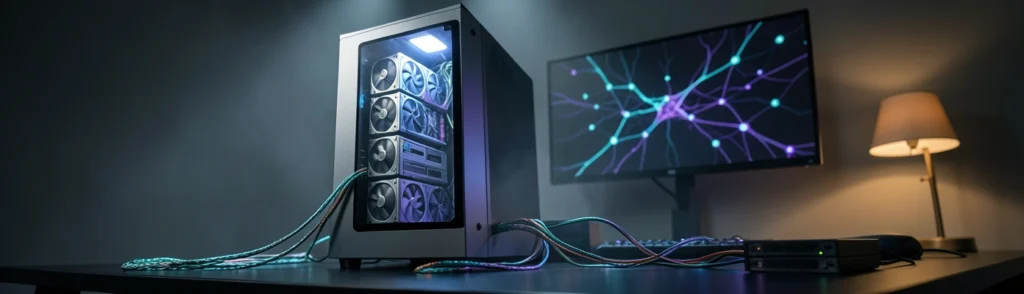
This guide examines the architecture and economics of a local AI workstation, using storage-tiered inference as an important case study. Systems such as the tinybox Red Kimi illustrate the challenge: a workstation can pair four Radeon GPUs, 128 GB of GPU memory, and a large NVMe array to approach models whose native checkpoints are far larger than the available VRAM.
The central question is not simply whether a model can load. It is whether the machine can generate tokens efficiently, consistently, and economically. That requires analyzing active parameters, quantization, memory bandwidth, expert caching, context length, and the difference between a manufacturer’s theoretical performance claim and an independently reproducible benchmark.
Background: What Is a Local AI Workstation?
Local AI Workstation Definition for Beginners
A local AI workstation is a computer designed to run machine-learning workloads without relying entirely on a remote inference service. It may use one powerful GPU, several GPUs, or a unified-memory architecture in which the processor and graphics hardware share a large memory pool.
For AI inference, the important components are:
- GPU compute capacity
- GPU memory capacity
- Memory bandwidth
- System RAM
- NVMe storage
- Interconnect bandwidth
- Cooling and power delivery
- Software support for model execution
The best configuration depends on the model. A small language model may run well on a gaming PC. A large mixture-of-experts model may require several professional GPUs and a storage system capable of acting as an auxiliary memory tier.
How Local Inference Differs From Cloud Inference
With cloud inference, the provider owns the accelerators, manages model loading, and distributes infrastructure costs across many customers. Users typically pay by subscription, request, or token. Capacity can scale rapidly, but privacy, latency, availability, and pricing depend on the provider.
Local inference reverses that arrangement. The owner pays for the hardware upfront and controls the environment. Once purchased, the marginal cost of generating another token may be relatively low, especially when electricity costs are modest compared with API pricing.
The trade-off resembles owning a private power generator versus buying electricity from the grid. The generator offers control and independence, but it requires a large initial investment, maintenance, fuel, and sufficient capacity. Cloud inference is easier to scale; local inference is easier to control.
Where GPU Memory, System RAM, and SSD Storage Fit
GPU memory stores the weights and intermediate data that must be accessed rapidly. System RAM can hold additional model layers, operating-system resources, and staging buffers. SSD storage can contain model checkpoints and, in advanced designs, supply weights directly to the GPU.
These tiers are not interchangeable. More capacity does not automatically mean more speed. A 16 TB SSD array may store a model that cannot fit in 128 GB of VRAM, but it cannot deliver data at the same bandwidth as the GPU’s local memory.
GPU Memory and Bandwidth Requirements
GPU memory determines how much of a model can remain close to the compute units. Bandwidth determines how quickly the accelerator can read that data. For autoregressive generation, where one token is produced after another, weight movement can become the dominant performance constraint.
A system with four GPUs may offer large aggregate bandwidth, but only if the software can distribute work efficiently. Communication overhead, synchronization, PCIe limitations, and uneven memory usage can reduce real-world performance.
Storage Capacity for Oversized Model Checkpoints
Storage matters when the model checkpoint exceeds available accelerator memory. A large NVMe array can preserve the full checkpoint and provide a path to loading or streaming selected weights.
However, the storage system is best understood as a capacity extension rather than a direct replacement for VRAM. A model may technically run from SSD-backed memory while producing tokens far more slowly than a model held entirely in GPU memory.
Trend: The Rise of Storage-Tiered Local LLM Performance
Privacy and Data Control
Local execution keeps prompts, source code, business documents, and generated responses within the owner’s environment. This is especially valuable for regulated industries and research teams handling confidential information.
Predictable Long-Term Costs
An owned workstation avoids per-token billing. For heavy, steady usage, amortizing hardware over several years may be cheaper than paying an API provider for constant inference. The calculation depends on utilization, electricity, maintenance, and the model’s cloud price.
Offline Access and Lower Latency
A local model can operate without an internet connection. It may also reduce network latency for interactive workflows, although slow model execution can eliminate that advantage.
Customization and Experimentation
Local systems support fine-tuning, quantization, model merging, custom runtimes, and experimental inference techniques. Developers can change software configurations without waiting for a provider to expose a new feature.
Reduced Dependence on Cloud Providers
A local AI workstation provides resilience against service outages, API changes, rate limits, and pricing changes. It also gives organizations greater control over model versions and deployment schedules.
Four Radeon GPUs and 128 GB of GPU Memory
The tinybox Red Kimi is designed around four AMD Radeon AI Pro R9700 graphics cards. Each card contributes 32 GB of GDDR6 memory, producing 128 GB of GPU memory in total and an aggregate theoretical bandwidth of approximately 2,560 GB/s.
That is substantial for a workstation, but it remains much smaller than a model checkpoint such as Kimi K3, reported at approximately 1.56 TB in its published form. Only a fraction of the checkpoint can remain in GPU memory at once.
Sixteen NVMe Drives and Direct GPU Access
The system uses sixteen 1 TB NVMe drives in a high-throughput array. Its software stack is designed to let GPUs access storage more directly, reducing some CPU-mediated overhead.
This design resembles a library where the active books remain on a desk while less frequently used volumes are stored in a nearby archive. The archive increases the total collection size, but retrieving a book still takes longer than turning a page already on the desk.
Why SSD Bandwidth Cannot Equal GPU Bandwidth
The array is reported to deliver roughly 238.4 GB/s, while the GPUs offer several terabytes per second of aggregate memory bandwidth. Even an unusually fast SSD subsystem therefore cannot replace VRAM on a one-for-one basis.
If a model requires approximately 55 GB of weight movement per generated token, reading all of that data from storage would produce only a few tokens per second at the reported array bandwidth. A claimed rate of 40 tokens per second would require much higher effective weight reuse, caching, quantization, speculative decoding, or a combination of techniques.
Insight: The Hidden Economics of a Local AI Workstation
Model Size, Active Parameters, and Quantization
Total parameter count describes the model’s capacity, but not always the amount of computation needed per token. Mixture-of-experts models activate only a subset of their routed experts for each token. Kimi K3, for example, has been described as activating a much smaller subset than its total parameter count.
Quantization reduces the number of bits used to represent weights. Lower precision can reduce memory requirements and bandwidth pressure, but it may affect output quality, compatibility, and numerical stability.
Memory Bandwidth, Token Throughput, and Context Length
Token throughput depends on how quickly the system can access weights and process attention states. Longer context windows increase memory requirements, particularly for the key-value cache. A benchmark using a short prompt may look impressive while performing poorly during long-document analysis.
Batch size also matters. A system optimized for many simultaneous requests may have a very different performance profile from one generating a single interactive response.
Expert Caching and Speculative Decoding
Mixture-of-experts systems can improve performance by caching frequently selected experts in GPU memory. If expert routing is predictable, the system may avoid repeatedly fetching the same data from storage.
Speculative decoding uses a smaller model to propose tokens that a larger model verifies. When predictions are accepted efficiently, the larger model may generate more output with fewer expensive passes.
Upfront Hardware and Upgrade Costs
The purchase price is the most visible expense. A workstation capable of running very large models may cost tens of thousands of dollars, and upgrades can be difficult because professional GPUs, power supplies, chassis, and cooling systems must remain compatible.
A less expensive workstation may be more economical if it supports the models actually needed. Buying capacity for a hypothetical future model can create substantial unused capital.
Electricity, Cooling, Noise, and Physical Space
Multi-GPU workstations consume significant power. Electricity costs should be estimated from average—not peak—load, multiplied by annual operating hours. Cooling adds an indirect cost, particularly in warm climates or small rooms.
Noise is another practical factor. A system operating below 60 decibels may still be clearly audible in an office. Physical dimensions, weight, electrical circuits, and ventilation also affect ownership.
Maintenance, Software, and Opportunity Costs
Drivers, kernels, model formats, and inference frameworks evolve quickly. Time spent troubleshooting compatibility is a real cost. So is the opportunity cost of capital that could instead fund cloud usage, engineering labor, or a smaller number of targeted systems.
Compare Ownership Costs With Pay-Per-Token Pricing
A basic break-even calculation is:
Total ownership cost = hardware + electricity + cooling + maintenance + financing
This should be compared with the expected cloud bill over the same period. The result depends heavily on utilization. A workstation used eight hours every day has a different economics profile from one used for occasional experiments.
Compare Privacy, Control, Speed, and Scalability
Cloud services generally win on elastic capacity and ease of deployment. Local systems win on data control and predictable availability. Speed depends on the specific model and workload: a cloud data center may offer faster generation, but a local system avoids network round trips and provider queues.
Compare Consumer Workstations, Unified-Memory Macs, and Data-Center Systems
The main alternatives occupy different positions. Consumer GPU systems can be cost-effective for quantized models. Unified-memory workstations can offer large shared memory pools and relatively simple deployment. Data-center systems provide the strongest interconnects and highest throughput but are usually economically impractical for home ownership.
A side-by-side comparison clarifies the trade-off.
| System type | Strength | Limitation | Best fit |
|---|---|---|---|
| Consumer GPU PC | Low entry cost | Limited VRAM | Smaller models |
| Multi-GPU workstation | High throughput | Expensive, noisy | Heavy local use |
| Unified-memory system | Large shared pool | Lower GPU bandwidth | Large quantized models |
| Data-center platform | Maximum performance | Very high cost | Enterprise inference |
The key takeaway is that model capacity and model speed are separate purchasing criteria. A machine that can load a model may still be too slow for productive use.
Check Tokens per Second Against Required Weight Movement
Estimate the bytes needed per token, then multiply by the claimed token rate. If the result approaches or exceeds the system’s effective memory bandwidth, the claim requires a detailed explanation.
Separate Theoretical Bandwidth From Measured Throughput
Advertised bandwidth assumes ideal access patterns. Real inference includes synchronization, kernel launches, cache misses, routing overhead, and data transfers. The relevant figure is measured end-to-end throughput.
Confirm Precision, Batch Size, and Context Length
A credible benchmark should state precision, quantization format, context length, batch size, prompt length, decoding method, and whether speculative decoding is enabled. Without these details, two token-per-second figures may not be comparable.
Forecast: Where Home Frontier Model Inference Is Going
GPU Memory, DRAM, and NVMe as a Unified Pipeline
Future AI GPU workstations will increasingly treat memory as a hierarchy rather than a single pool. Frequently accessed weights will remain in VRAM, working data will occupy system RAM, and cold weights will reside on NVMe storage.
This approach will not make SSDs as fast as GPUs, but it can make very large models economically accessible. The challenge will be scheduling: software must predict what data to move and when.
Software Optimization as a Hardware Multiplier
Better runtimes may produce larger gains than modest hardware upgrades. Expert prefetching, compressed caches, direct storage access, and improved interconnect management can increase effective throughput without increasing raw bandwidth.
Smaller Models With Frontier-Level Capabilities
Distillation and improved training may allow smaller models to match the performance of much larger predecessors. This will reduce the need for terabyte-scale checkpoints and make local inference practical for more users.
Better Quantization and Mixture-of-Experts Routing
Quantization will continue to reduce memory pressure. More efficient routing may also keep only the most relevant experts active, limiting unnecessary weight movement.
Faster Interconnects and Larger Unified-Memory Systems
Future systems will likely combine larger memory pools with faster links between GPUs, CPUs, DRAM, and storage. Unified-memory architectures may become more attractive if software can manage capacity without imposing severe bandwidth penalties.
Break-Even Usage and Ownership Scenarios
A local system is most likely to beat the cloud when usage is high, stable, privacy requirements are strong, and the model remains useful for several years. Teams generating large volumes of tokens daily may recover the hardware investment more quickly than occasional users.
The Limits of Desktop Inference at Home
Home systems will remain constrained by power, cooling, physical space, model updates, and limited scalability. They may run a frontier model, but not necessarily with the concurrency, uptime, or operational resilience of a data center.
Call to Action: Plan Your Local AI Workstation Purchase
Start with the model family, parameter format, context length, target tokens per second, and number of simultaneous users. Privacy requirements should be explicit rather than treated as a general preference.
Include hardware, electricity, cooling, storage replacement, software maintenance, and the value of your time. Compare this with realistic cloud usage, not an idealized maximum.
Test the exact model, quantization, context length, and batch size you expect to use. Prefer open benchmarks and repeatable scripts over isolated vendor claims.
A smaller system can be upgraded later, while an oversized workstation may become an expensive and underused appliance. Begin with the minimum configuration that satisfies current workloads and provides a reasonable upgrade path.
Conclusion: Is a Local AI Workstation Worth the Cost?
A local AI workstation is not simply a cheaper cloud server. It is a different economic model that exchanges recurring service costs for upfront capital, operational responsibility, and direct control.
The most important distinction is between capacity and performance. Storage-tiered systems can make enormous models fit, but the model’s usable speed depends on how often data must leave GPU memory. A workstation with impressive specifications may still underperform if its software cannot keep the most important weights close to the accelerators.
Running large language models locally is becoming more viable as quantization, mixture-of-experts architectures, unified memory, and direct storage access improve. Yet buyers should evaluate claims through bandwidth calculations and reproducible testing rather than headline specifications.
For organizations and individuals with heavy workloads, strict privacy requirements, or a need for offline access, a local AI workstation can be economically justified. For casual users, cloud inference or a smaller AI GPU workstation will usually remain more practical.
The future of home frontier model inference will not be defined by one component. It will depend on the coordination of GPU memory, system RAM, NVMe storage, interconnects, and software. The winning systems will be those that turn a hierarchy of imperfect memory tiers into a coherent inference pipeline.