
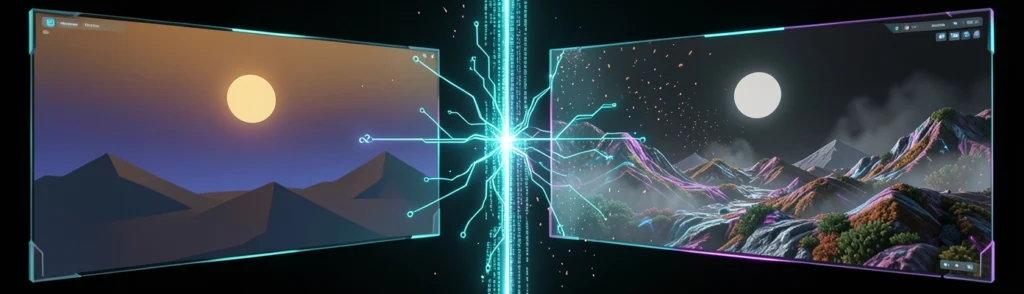

Intro: Why GPT-Image-2.6 Matters for API Image Results
GPT-Image-2.6 introduces a more explicit way to control how an image model approaches a request. Instead of treating every prompt as equally demanding, developers can select an image model complexity parameter that influences how much planning happens before rendering.
That distinction matters because image generation is not only about visual quality. An API also needs to interpret instructions, understand relationships between objects, place text, preserve existing content during edits, and decide which parts of an image should change. A simple background adjustment and a multi-panel infographic may both return an image, but they require very different amounts of planning.
GPT-Image-2.6 is offered through two API models: Flare, optimized for fast iteration, and Sunburst, designed for detailed compositions and more consistent editing. Both support the same complexity controls: low, medium, and high.
For developers, the practical lesson is simple: choosing the right complexity level can improve latency and edit stability without requiring a different model or a separate complexity fee.
What This Guide Covers About GPT-Image-2.6
This guide explains how GPT-Image-2.6 works in an AI image generation API and how its complexity setting affects the final result.
It covers:
- The difference between GPT-Image-2.6 Flare and Sunburst
- The meaning of low, medium, and high complexity
- The relationship between complexity, image quality, and latency
- Prompting strategies for focused edits and complex layouts
- GPT image GIF generation and frame-level editing
- SVG image generation and scalable design workflows
- Token-based pricing and output considerations
- A practical testing method for selecting the right setting
The complexity parameter should not be confused with the quality parameter. Quality primarily affects rendering detail and fidelity, while complexity affects how much planning the model performs before generating or editing the image.
An analogy is useful here. Think of image quality as the sharpness of a photograph, while complexity is the amount of time a designer spends studying the brief before taking the photograph. A sharper image does not automatically mean the composition was planned correctly.
Who Should Use GPT-Image-2.6 in an AI Image Generation API
GPT-Image-2.6 is relevant to developers building applications that need more than one-off text-to-image generation. Potential users include:
- Design and marketing platforms
- E-commerce image editors
- Presentation and document tools
- Social media creation applications
- Game and character development workflows
- Animation and GIF creation products
- Diagram and illustration generators
- Automated brand asset systems
It is especially useful when the same application handles different task types. For example, a social media platform may need low-complexity edits for quick background changes, medium complexity for promotional cards, and high complexity for a detailed campaign layout.
The model is accessed through OpenAI-hosted products and APIs rather than deployed locally or on-premises. That makes it convenient for teams that want managed infrastructure, but it also means developers should consider API availability, data handling, latency, and usage costs when designing production systems.
Background: What Is GPT-Image-2.6?
GPT-Image-2.6 is an image-generation and image-editing system designed for multimodal creative workflows. It can create images from prompts, modify existing images, follow regional instructions, generate scalable graphics, and support animated GIF workflows.
The system is positioned as a faster successor to the previous image release, with reported generation speeds up to 50% faster. Flare can reportedly produce a low-quality image in as little as six seconds, making it suitable for interactive applications where users expect rapid feedback.
GPT-Image-2.6 also expands the role of reference images. Developers and users can save and tag references for people, pets, characters, or other subjects and reuse them later. This can reduce the need to upload the same reference material repeatedly.
GPT-Image-2.6 Flare vs. Sunburst API Models
GPT-Image-2.6 is available in two API variants: Flare and Sunburst. The choice between them is primarily a workflow decision rather than a simple quality ranking.
Flare is designed for speed. It is a strong option for applications where users repeatedly adjust a prompt or make small visual changes.
Typical Flare use cases include:
- Thumbnail exploration
- Rapid concept generation
- Background replacement
- Simple object removal
- Social media variations
- Interactive design previews
- Low-quality drafts before final rendering
Imagine a designer moving sticky notes around on a mood board. The goal is not to create the final polished presentation immediately. The goal is to explore several directions quickly. Flare fits that kind of workflow.
Its low-quality mode is particularly useful when the user needs to compare concepts before requesting a more refined result. However, fast output may be less suitable for dense text, exact layouts, or edits where multiple objects must remain consistent.
Sunburst is intended for more demanding image-generation and editing tasks. It is better suited to detailed compositions, complex object relationships, and workflows where edits need to preserve more of the original design.
Potential Sunburst tasks include:
- Multi-object compositions
- Product scenes with precise placement
- Posters and infographics
- Detailed character edits
- Structured diagrams
- Consistent revisions across multiple versions
- Images containing substantial text
Sunburst can be thought of as the difference between a rough sketch and a production layout. The sketch helps answer “does this idea work?” The production layout must answer additional questions: Are the margins correct? Are the elements aligned? Does the text fit? Did the subject remain recognizable after editing?
What Is the Image Model Complexity Parameter?
The image model complexity parameter controls how much planning GPT-Image-2.6 performs before rendering the output.
The setting does not directly mean “more pixels” or “more detail.” Instead, it changes the model’s effort in interpreting the prompt, organizing the composition, and managing relationships between visual elements.
GPT-Image-2.6 provides three complexity levels:
- Low: Minimal planning for focused tasks and fast results
- Medium: A balance between speed and instruction handling
- High: More planning for difficult layouts, dense text, and complex relationships
If the complexity parameter is omitted, high complexity is used by default.
Low complexity is often appropriate when the requested change is narrow. For example, “remove the red mug from the table” does not usually require the model to redesign the entire scene.
Medium complexity is useful when the prompt contains several instructions but does not require an intricate layout. A product image with a new background, a changed color, and a small lighting adjustment may fit this category.
High complexity is designed for tasks where the model must coordinate many details. A magazine cover with a headline, subtitle, product placement, logo area, and background elements is a typical example.
High complexity is the default because it provides a safer general-purpose behavior for ambiguous requests. Many users do not know how demanding their prompts are, and a higher planning level can help the model interpret complicated instructions.
However, the default is not always optimal. More planning can increase latency and may cause unintended changes in editing workflows. If a user wants to change only one small region, high complexity may encourage the model to reconsider other aspects of the composition.
GPT-Image-2.6 Quality vs. Complexity
Quality and complexity control different parts of the generation process.
Quality affects how detailed and refined the rendered output is. Complexity affects how thoroughly the system plans the image or edit. A low-quality image can still have a well-planned layout, while a high-quality image can still misinterpret a complicated instruction.
Higher complexity generally requires more planning, which can increase response time. The extra latency may be justified when the prompt includes:
- Several interacting objects
- Precise spatial relationships
- Dense text
- Multiple edit regions
- A structured layout
- Character or subject consistency requirements
For a focused edit, that extra planning may provide little benefit. It is like asking an architect to redesign an entire building when you only need to repaint one door.
The complexity parameter does not incur a separate fee. This makes it possible to tune complexity based on performance requirements rather than treating high planning as a premium feature.
Developers still pay for API usage, including input and output tokens, but selecting low, medium, or high complexity does not create an additional complexity surcharge. Teams should therefore evaluate the settings using latency, quality, failure rates, and output usefulness rather than price alone.
Trend: What Is Changing in AI Image Generation APIs?
AI image generation APIs are moving beyond simple prompt-to-image workflows. Modern systems increasingly combine image creation, editing, animation, reference management, and structured output.
GPT-Image-2.6 reflects this shift by treating images as editable creative assets rather than disposable outputs.
5 Major GPT-Image-2.6 Capabilities to Know
The reported speed improvements make GPT-Image-2.6 more practical for interactive applications. Flare can generate low-quality results in as little as six seconds, allowing users to test ideas without waiting for a final-quality render every time.
A useful workflow is to generate several low-quality concepts first, select one, and then request a higher-quality final version. This is similar to video editing, where a low-resolution preview is used for fast decisions before exporting the final file.
Markup-guided editing allows developers or users to identify regions that should be changed. Instead of describing an entire image again, the request can focus on a specific area.
This is valuable for:
- Replacing one product
- Editing a face or clothing region
- Changing a background area
- Removing a visual element
- Updating a label or sign
Regional editing can reduce unintended changes because the model receives a clearer indication of where the instruction applies.
GPT image GIF generation expands image APIs into lightweight animation workflows. Users can create animated GIFs from prompts or photographs, adjust animation speed, edit individual frames, and share the result.
Frame-level editing is important because animation often fails when every frame is regenerated independently. Small differences in a subject’s face, position, or lighting can create distracting flicker.
An application could use GPT-Image-2.6 to create a short product animation, revise one frame where a label is incorrect, and then export the updated GIF without rebuilding the entire sequence.
SVG image generation is useful for logos, diagrams, icons, charts, interface illustrations, and other graphics that need to remain sharp at different sizes.
Unlike a raster image, an SVG can scale from a small icon to a large poster without becoming blurry. This makes SVG output especially useful in design systems and responsive web applications.
Developers should still validate generated SVG files for structure, accessibility, rendering compatibility, and unexpected complexity before placing them into production.
Reusable reference images allow users to save and tag subjects for later use. This can improve consistency across multiple generations.
For example, a game studio could preserve a character reference and request the character in different environments. A retailer could reuse a product reference across seasonal campaigns. A pet owner could create multiple illustrations of the same animal without uploading the original image each time.
Reference images do not guarantee perfect consistency, but they provide a stronger foundation than describing the same subject from scratch in every prompt.
How GPT-Image-2.6 Expands Multimodal Creative Workflows
GPT-Image-2.6 combines text, images, regional markup, references, animation, and vector output in one workflow. That allows an application to move through several stages without switching between unrelated tools.
For example:
- A user uploads a product image.
- The API creates three background concepts.
- The user marks one region for editing.
- The system generates a polished product card.
- The user requests an animated GIF.
- The final design is exported as a raster image or SVG where appropriate.
This resembles a digital creative team. One process generates ideas, another handles revisions, and another prepares the deliverable. The API increasingly coordinates all three roles.
GPT-Image-2.6 Usage and API Adoption Signals
OpenAI has reported that image generation across ChatGPT and the API has surpassed four billion images per week, compared with more than three billion per week eight weeks earlier.
If that growth continues, image APIs will increasingly be used in ordinary business software rather than only specialist design products. This will raise expectations around:
- Predictable latency
- Edit reliability
- Cost visibility
- Output formats
- Asset management
- Brand consistency
- Moderation and governance
Adoption at this scale also means developers will need to measure image generation like any other production dependency, using observability, retries, quality checks, and user feedback.
Insight: How the Complexity Parameter Changes Results
The most important GPT-Image-2.6 feature for developers may be the ability to match planning effort to task difficulty.
How Low Complexity Affects Focused Image Edits
Low complexity is designed for narrow edits where the requested change is clear and localized.
Good low-complexity prompts are specific and limited in scope:
- “Change the blue shirt to green.”
- “Remove the lamp on the left.”
- “Replace the sky with a sunset.”
- “Make the package label white.”
- “Crop the image to a square.”
These prompts identify one primary change and avoid asking the model to reinterpret the entire image.
Low complexity can struggle when a request involves text, multiple regions, or strict alignment. It may produce a visually plausible image that misses important structural details.
For example, a prompt asking for a three-column infographic with six labels, two icons per column, and a footer requires more planning than a simple object removal. Low complexity may prioritize appearance over exact organization.
How Medium Complexity Balances Speed and Accuracy
Medium complexity is a practical default for many production applications. It provides more planning than low complexity without always incurring the full latency of high complexity.
Choose medium complexity when:
- The image has several instructions
- The layout is moderately structured
- The edit affects more than one region
- The user needs reasonable speed
- Exact text placement is helpful but not extreme
- The output will be reviewed before publication
Medium complexity works well for marketing banners, product variations, simple editorial illustrations, and multi-step image edits.
A prompt such as “Place the product on a wooden table, add soft morning light, preserve the original logo, and leave space on the right for headline text” contains several interacting requirements. It is more demanding than a single edit but less complex than a full publication layout.
Medium complexity can be a strong starting point for this category. Developers can escalate to high complexity when the output fails to preserve relationships or layout requirements.
How High Complexity Handles Difficult Image Prompts
High complexity is best suited for prompts that require substantial visual organization.
High complexity can help with:
- Posters containing multiple text blocks
- Infographics
- Instructional diagrams
- Product collages
- Multi-character scenes
- Images with foreground and background relationships
- Detailed edits that must preserve subject identity
The model must do more than draw objects. It must determine which elements belong together, how they should be positioned, and which details have priority.
More planning is not always better. In an editing workflow, high complexity may cause the model to reinterpret areas the user wanted to preserve.
For example, if a user asks to change a single background color, high complexity might also adjust lighting, shadows, or subject placement. These changes may look attractive but still violate the editing request.
A useful rule is to use high complexity for composition creation and cautious, lower settings for surgical edits, unless testing shows otherwise.
GPT-Image-2.6 Complexity Settings Comparison
The following table summarizes the practical trade-offs.
| Setting | Best for | Main benefit | Main risk |
|---|---|---|---|
| Low | Focused edits | Fast response | Missed details |
| Medium | Moderate layouts | Balanced behavior | Less precise than high |
| High | Dense compositions | Stronger planning | Higher latency or changes |
Speed, planning, fidelity, and edit stability should be measured separately. A setting that produces the most attractive single image may not be the best choice for an application that needs fast revisions.
Low complexity usually prioritizes speed. High complexity prioritizes planning. Medium complexity attempts to balance both.
Fidelity also depends on the prompt, source image, quality setting, output resolution, and task type. Complexity alone cannot guarantee accurate text or perfect subject preservation.
Edit stability is especially important for production. If users repeatedly modify an image, a slightly faster setting may be less valuable than one that preserves unchanged regions reliably.
A practical starting point is:
- Low: Single-object edits and quick previews
- Medium: Product variations and moderate marketing layouts
- High: Dense text, diagrams, posters, and complex scenes
- Low or medium: Regional edits where preservation matters
- Medium or high: Reference-based character consistency
- Medium: Initial GIF concepts
- High: Complex frame composition or detailed animated scenes
These are starting recommendations, not fixed rules. Teams should validate them with real prompts from their own users.
GPT-Image-2.6 Pricing and API Output Considerations
GPT-Image-2.6 uses token-based pricing. The reported prices are:
- Text input: $5 per one million tokens, with cached input at $1.25
- Image input: $8 per one million tokens, with cached input at $2
- Image output: $30 per one million tokens
Flare and Sunburst use identical token-based pricing, and complexity does not add a separate fee. However, output size, quality, image inputs, repeated edits, and animation workflows can affect total usage.
Developers should track the full cost of a workflow rather than focusing only on one generated image. A user who generates ten previews and one final image may consume more tokens than a user who generates one high-complexity image.
Caching may help when the same reference images or repeated inputs are used across requests. Applications should also consider whether low-quality previews can reduce unnecessary high-quality generations.
Quality and resolution affect the usefulness and cost of output. GIFs may involve multiple frames, while SVG generation has different validation and delivery requirements from raster output.
A good production pipeline should define:
- Preview quality
- Final output quality
- Maximum image dimensions
- GIF frame limits
- SVG validation rules
- Storage and delivery formats
- Retry and timeout behavior
The best output is not always the largest one. A thumbnail generator may need speed and compact files, while a print workflow may require greater resolution and careful text handling.
Forecast: Where GPT-Image-2.6 Image APIs Are Heading
The introduction of complexity controls points toward a broader trend: image APIs are becoming more configurable and task-aware.
The Future of Complexity-Aware Image Generation
Future systems may automatically estimate task difficulty and select a complexity level. An API could analyze a request and determine whether it involves a simple edit, a structured layout, or a complicated multi-object scene.
Developers may eventually receive controls for specific dimensions of effort, such as:
- Layout planning
- Text accuracy
- Subject preservation
- Regional edit strictness
- Animation consistency
- Reference adherence
This would be more flexible than a single low-to-high scale.
More Control Over Speed, Planning, and Edit Consistency
Applications will likely expose complexity as a user-facing control. A design tool might offer “fast draft,” “balanced,” and “precise edit” modes rather than exposing technical parameters directly.
In the future, APIs may also return planning metadata or confidence signals. That could help applications decide whether to accept an output automatically or request a second generation.
GIF and SVG Support as API Differentiators
Native GIF and SVG support gives an image API capabilities beyond conventional raster generation. As more providers add basic image creation, output formats and workflow integration may become important differentiators.
Animation, vector output, and frame-level edits could be particularly valuable for creative tools that want to avoid building separate media pipelines.
GPT-Image-2.6 Compared With Earlier and Competing Models
Comparisons should be made using the same prompts, resolutions, output types, and evaluation criteria. Published pricing and capabilities may change, so developers should verify current API behavior before making a long-term platform decision.
GPT-Image-2.6 is positioned as a faster release with a new complexity parameter and expanded support for GIF, SVG, regional editing, and reusable references.
Its token prices are reported to match GPT-Image-2.5 for image output at $30 per one million output tokens. The key difference is not necessarily a separate pricing tier but greater control over how the model approaches different tasks.
Google Nano Banana 2.1 is described with per-image pricing that starts around $0.0336 per 1K image and reaches approximately $0.113 at 4K.
That model uses a different pricing framework from GPT-Image-2.6’s token-based system. Developers should compare complete workflows rather than individual headline prices, especially when prompts, reference images, revisions, or multiple frames are involved.
BFL FLUX 3 Image is reported at approximately $0.048 per 1K image and up to $0.607 at 4K.
The practical comparison should include more than cost. Teams should evaluate image quality, editing accuracy, latency, output formats, reference consistency, deployment options, and the availability of animation or SVG workflows.
Developers should watch:
- Automatic complexity selection
- Better text rendering
- More reliable regional edits
- Stronger frame consistency
- Improved SVG structure
- Transparent output-cost estimates
- Batch and asynchronous generation
- Better evaluation tools for image editing
The strongest image API will likely be the one that fits a complete production workflow, not simply the one that produces the most impressive demo image.
Call to Action: Test GPT-Image-2.6 With the Right Complexity Setting
The best way to understand GPT-Image-2.6 is to test the complexity parameter with representative prompts.
Start With a Repeatable Image Generation API Test
Create a test set that includes simple edits, moderate compositions, dense layouts, text-heavy designs, reference-based generations, GIFs, and SVG outputs.
Use the same prompt, source image, quality setting, and output requirements for all three complexity levels. Change only the complexity parameter.
This isolates the effect of planning effort and makes the results easier to interpret.
Measure:
- Time to first result
- Total generation time
- Whether the requested edit was completed
- Whether unrelated regions changed
- Text accuracy
- Subject consistency
- Output dimensions
- User approval rate
- Token usage
A simple spreadsheet or evaluation dashboard can reveal patterns that are not obvious from casual inspection.
Choose Flare or Sunburst for Your Workflow
Choose Flare when rapid iteration is the central requirement. Choose Sunburst when the task depends on detailed composition, stable edits, or complex visual relationships.
Some applications may use both. For example, Flare can produce quick concepts while Sunburst handles the final approved version. Routing requests by task type can improve the user experience without forcing every request through the slowest path.
Experiment With GIF and SVG Image Generation
Do not limit testing to static raster images. GIF and SVG workflows may reveal important advantages for your product.
For GIFs, test frame consistency, speed adjustment, single-frame edits, file size, and playback behavior. For SVGs, test browser rendering, scalability, accessibility, editability, and compatibility with downstream design tools.
Build a Complexity Selection Checklist
Before selecting a setting, ask:
- Is the edit limited to one clear region?
- Does the prompt contain dense text?
- Must several objects maintain exact relationships?
- Are unchanged areas especially important?
- Is the user waiting interactively?
- Will the output be reviewed by a human?
- Is the request animated or frame-based?
- Does the workflow require SVG or another structured format?
If the request is narrow and speed-sensitive, start low. If it contains several interacting requirements, start medium. If it requires dense planning, exact relationships, or substantial text, test high.
Conclusion: Use GPT-Image-2.6 Complexity Strategically
GPT-Image-2.6 gives developers a useful control over the balance between planning and speed. Its low, medium, and high complexity settings make it possible to adapt image generation behavior to the task instead of using one setting for every request.
The model also expands the scope of an AI image generation API through regional editing, reusable references, GPT image GIF generation, frame-level changes, and SVG image generation.
The main lessons are:
- Complexity controls planning, not simply visual sharpness.
- Low complexity is useful for focused edits and rapid previews.
- Medium complexity is a practical choice for many everyday workflows.
- High complexity is better for dense layouts, text, and complicated object relationships.
- High complexity is the default when no value is provided.
- Complexity does not add a separate fee.
- Quality and complexity should be evaluated independently.
- Flare favors speed, while Sunburst favors detailed composition and edit consistency.
- GIF and SVG support can make GPT-Image-2.6 useful beyond static image creation.
Start with medium complexity for general production testing. Move down to low when latency matters and the edit is tightly scoped. Move up to high when the prompt includes dense text, multiple interacting elements, structured layouts, or complex scene relationships.
Most importantly, measure results using your own prompts and users. GPT-Image-2.6 complexity is not a universal quality switch. It is a workflow control. Used strategically, it can help applications deliver faster previews, more reliable edits, and better final image-generation API results.