
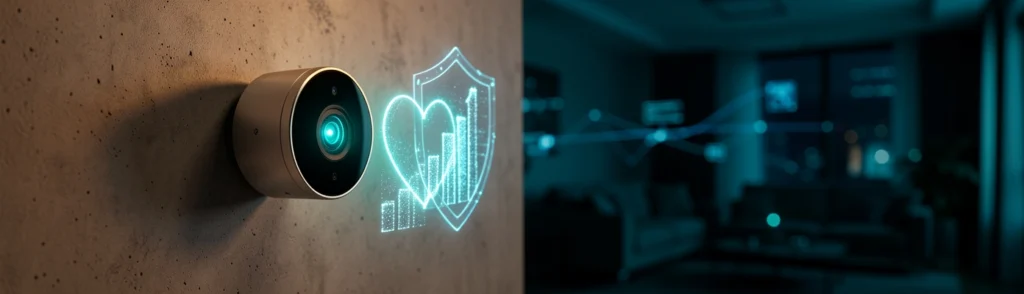

BEST — How Content Marketers Use Emotional SEO Titles to Drive More Organic Traffic: Smart Home Security Camera Privacy and AI Detection
Intro: Why Smart Home Security Camera Privacy and AI Detection Matters
A smart security camera can help you check on a child arriving home, watch a pet while you are away, or investigate an unfamiliar sound without opening the front door. However, every connected camera also creates important questions about privacy, data storage, artificial intelligence, and network security.
That is why smart home security camera privacy and AI detection has become a high-interest topic for homeowners and content marketers alike. People are no longer searching only for the highest resolution or the lowest price. They want to know what a camera sees, where video is processed, how long recordings are stored, and whether they can stop the device from recording when privacy matters.
Emotional SEO titles often work because they connect technical features with real human concerns. A title such as “How to Stop Your Indoor Camera From Watching You” may attract attention because it reflects anxiety. A more practical title such as “The Privacy Settings Every Smart Camera Owner Should Check” creates urgency while promising a solution.
The strongest content does both: it acknowledges the fear and provides clear, useful guidance.
What Is Smart Home Security Camera Privacy and AI Detection?
Smart home security camera privacy refers to the controls and safeguards that determine how a camera captures, processes, stores, and shares information. AI detection refers to software that analyzes video to identify events or objects, such as people, vehicles, animals, packages, or unusual movement.
Think of a camera as a combination of an eye and a small computer. The lens collects visual information, while the AI system decides what may be important. The privacy design determines who can access that information and whether it leaves your home.
The Privacy Questions Homeowners Ask Before Buying
Before purchasing a camera, homeowners should ask:
- Does the camera use on-device AI detection, or does it send video to the cloud?
- Can the microphone be disabled independently from video recording?
- Are there physical camera privacy controls?
- Is local storage available, and is a subscription required?
- How long does the manufacturer retain recordings?
- Can users delete footage permanently?
- What happens if the camera loses internet access?
- Does the device support strong encryption and regular firmware updates?
These questions matter because convenience and privacy often exist on a spectrum. A cloud-connected camera may offer advanced remote access, while a local system may reduce data exposure but require more setup.
Background: How Smart Home Security Camera Privacy and AI Detection Works
The main difference between on-device and cloud AI is where video analysis occurs. With on-device AI detection, the camera or its local hub analyzes footage inside the home. With cloud-based processing, video is uploaded to remote servers for analysis.
How Local Processing Reduces Data Exposure
Local processing is similar to proofreading a letter at home instead of sending it to a third party. The task still happens, but fewer people and systems handle the information.
When AI detection happens locally, raw video may not need to travel continuously across the internet. This can reduce exposure to server breaches, account misuse, and unnecessary data sharing. It may also reduce latency, allowing the camera to identify movement more quickly.
Local processing does not make a device automatically private. A camera may still transmit alerts, thumbnails, account information, or selected clips. Users should check exactly what data leaves the device.
What AI Detection Can Identify
Modern cameras may identify:
- People and familiar faces
- Vehicles
- Pets and wildlife
- Packages
- General motion
- Activity within selected zones
Detection accuracy depends on lighting, camera angle, distance, weather, and software quality. A camera might confuse a shadow with a person or miss a visitor partly hidden behind a vehicle. AI detection should support human judgment, not replace it.
Privacy controls are most useful when they are easy to find and simple to understand. A feature hidden deep inside an app is less valuable than one a homeowner can activate immediately.
Privacy Shields, Recording Zones, and Microphone Settings
A physical privacy shield can cover the lens, offering a visible guarantee that the camera is not recording video. Some indoor cameras use a rotating design that turns the lens away when privacy mode is enabled.
Recording zones let users block sensitive areas, such as a neighbor’s window, a bathroom entrance, or a shared walkway. Microphone settings should also be reviewed. Video may seem harmless, but audio can capture private conversations from farther away than expected.
Local Storage, Subscriptions, and Data Retention
Local storage gives homeowners greater control over recordings and may reduce recurring costs. However, a memory card or local hub can be stolen, damaged, or removed. Cloud storage offers off-site backup but introduces account, server, and subscription considerations.
Before buying, confirm:
- Whether storage is included
- Whether advanced AI features require a paid plan
- How long recordings remain available
- Whether deleted clips are actually removed
- Whether video is encrypted during transfer and storage
Trend: Why Privacy-First AI Cameras Are Gaining Attention
Privacy-first cameras are gaining attention because consumers increasingly view video footage as sensitive personal data. A camera installed at a front door may capture visitors, delivery workers, children, neighbors, and passersby. An indoor camera may observe nearly every routine in a household.
1. Reduced data sharing: Video analysis can occur without sending every frame to a remote server.
2. Faster alerts: Local processing may identify activity with less network delay.
3. Lower bandwidth use: The camera may transmit only alerts or selected clips.
4. Better offline resilience: Some detection features can continue during internet outages.
5. Greater user confidence: Many homeowners feel more comfortable when footage stays inside the home.
An analogy is a home alarm that decides whether a door opened without calling a monitoring center for every small movement. It can still send a meaningful alert when something important happens.
Trust grows when privacy settings are visible, reversible, and explained in plain language. A physical shutter, a clear recording indicator, and a simple deletion button can communicate more than a lengthy policy document.
Manufacturers can also build trust by publishing security updates, explaining AI limitations, and avoiding vague claims such as “fully private” without defining what that means.
Strong Wi-Fi Authentication and Firmware Updates
Use a long, unique Wi-Fi password and enable modern wireless security. Change default device credentials immediately. Firmware updates are important because they can repair vulnerabilities discovered after launch.
Enable multi-factor authentication for the camera account when available. Also review connected users regularly and remove access that is no longer needed.
Separate Networks for Smart Home Devices
A separate guest or smart-home network can limit the damage if one device is compromised. This is like placing valuables in separate rooms rather than keeping everything in one unlocked space.
Network separation does not replace strong passwords or updates, but it adds another protective layer. Homeowners should also disable remote access features they do not use.
Insight: Choosing the Right Privacy and AI Features
On-Device AI Detection vs Cloud AI Detection
On-device AI generally offers stronger data minimization and may work with less bandwidth. Cloud AI may provide more powerful models, frequent improvements, and broader recognition capabilities. The right choice depends on whether convenience or local control is the priority.
Local Recording vs Subscription Cloud Storage
Local recording can reduce long-term costs and give users direct control. Cloud storage is easier for remote backup and may protect footage if the camera is stolen. Some systems combine both approaches, allowing essential clips to remain local while optional backups use the cloud.
Digital privacy is only one part of security. Anti-tamper camera design can help protect the hardware itself.
Tamper Alerts, Secure Mounts, and Field of View
Look for tamper alerts, secure mounting brackets, and notifications when a camera is moved or obstructed. A wide field of view is useful, but excessive coverage may capture areas that do not need monitoring. Aim the camera narrowly enough to protect your property without unnecessarily recording public or neighboring spaces.
Indoor and Outdoor Placement Considerations
Outdoor cameras should be mounted high enough to resist casual interference but positioned where maintenance remains practical. Indoor cameras should avoid bedrooms and private areas unless there is a strong reason to install them.
There is rarely a perfect system. Higher accuracy may require more processing power or cloud connectivity. Local storage may require manual maintenance. Strong privacy settings may reduce convenience, remote access, or event history.
The best choice is not the camera with the longest feature list. It is the camera whose compromises match your household’s priorities.
Forecast: What Comes Next for Privacy-First Security Cameras
Edge processors are becoming more capable and energy efficient. Future cameras will likely identify events more accurately while transmitting fewer images. AI may also become more customizable, allowing users to choose which categories are recognized and which are ignored.
Expect clearer physical shutters, privacy indicators, encrypted local hubs, and storage systems controlled directly by homeowners. Some products may offer portable encrypted storage or home-based servers that reduce dependence on subscriptions.
Routers and smart-home platforms will likely automate more security tasks, including device isolation, vulnerability alerts, and permission reviews. However, automation will not eliminate the need for informed choices. Consumers will still need to understand which devices can access cameras, microphones, and recordings.
Call to Action: Audit Your Camera Privacy and AI Settings
Before installation, decide what the camera truly needs to monitor. Set activity zones, disable unnecessary audio, select a storage method, and activate privacy mode schedules where appropriate.
Update the camera and router, replace default passwords, enable multi-factor authentication, review account permissions, and place smart devices on a separate network when possible. These steps usually take minutes and can significantly reduce avoidable risks.
Conclusion: Build Safer Smart Home Security Camera Privacy and AI Detection
Smart home security camera privacy and AI detection is not simply a technical buying consideration. It is a practical household decision involving visibility, trust, convenience, and control.
On-device AI detection can reduce unnecessary data exposure. Camera privacy controls can prevent recording when it is not needed. Home network security best practices can limit unauthorized access, while anti-tamper camera design can protect the physical device.
The safest approach is to treat every camera as both a security tool and a data-collection device. Choose features deliberately, understand where footage goes, and review settings regularly. When privacy is designed into the system from the beginning, smart surveillance can provide useful protection without making your home feel constantly observed.