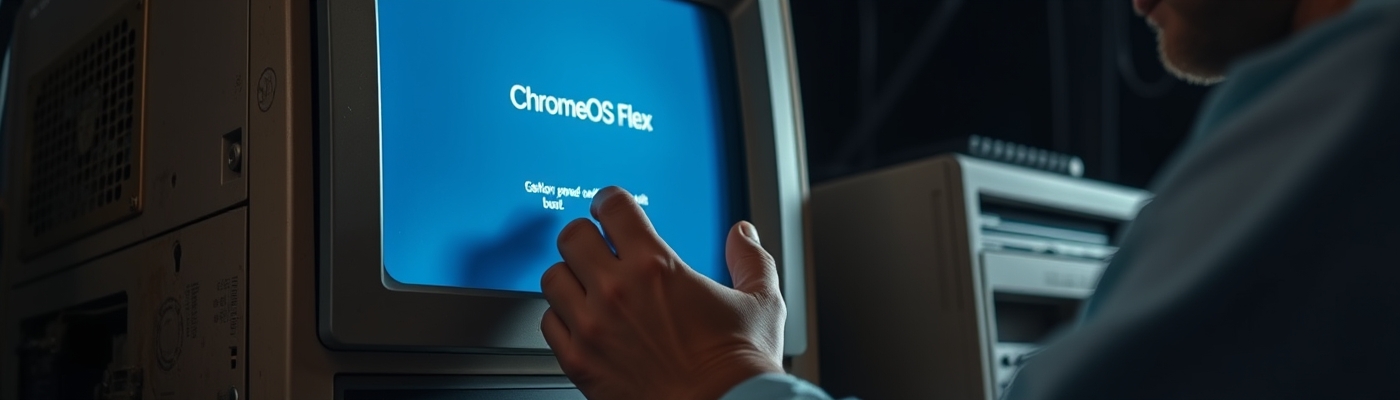
Revive Old PCs with ChromeOS Flex

The Hidden Truth About Reviving Old PCs with ChromeOS Flex
Introduction to ChromeOS Flex Installation
In a world where technology advances at a dizzying pace, it’s common to feel the pressure to upgrade to the latest devices. However, many of us have old computers cluttering our homes, gathering dust rather than serving their intended purpose. Enter ChromeOS Flex installation: a game-changer that promises to breathe new life into these neglected machines.
ChromeOS Flex is an operating system designed specifically to rejuvenate older PCs and Macs, transforming them into optimized, user-friendly devices capable of running a wide range of applications. This post delves into the benefits, the revival trend, and how this innovative solution is paving the way for sustainable technology usage.
Understanding ChromeOS Flex Benefits for Old Computers
What Is ChromeOS Flex?
ChromeOS Flex is a lightweight operating system developed by Google, tailored for underpowered and outdated hardware. Unlike traditional operating systems that demand heavy resources, ChromeOS Flex focuses on a simple, efficient user experience, allowing users to access web applications, use Android apps, and enjoy a versatile computing environment. One of its standout features is its compatibility with many older Windows and Intel-powered Mac devices, making it an ideal choice for old computer revival.
5 Key Benefits of Installing ChromeOS Flex
1. Performance Boost: By stripping away the bloatware commonly found on older systems, ChromeOS Flex enables users to enjoy faster boot times and smoother operation, effectively reviving even the slowest machines.
2. Low Resource Requirements: Unlike Windows and some other operating systems, ChromeOS Flex runs efficiently on devices with older hardware specifications, making it accessible to a wider audience.
3. Enhanced Security: With built-in security features, regular automatic updates, and a limited set of applications available for installation, ChromeOS Flex significantly reduces vulnerabilities that outdated systems often face.
4. User-Friendly Interface: ChromeOS Flex present an intuitive, simple user interface that newcomers will find easy to navigate, minimizing the learning curve for those unfamiliar with Linux-based operating systems.
5. Seamless Integration with Google Services: The operating system is tailored for users heavily invested in the Google ecosystem, allowing seamless access to Google Drive, Docs, Sheets, and more.
How ChromeOS Flex Supports Older Devices
ChromeOS Flex installation goes beyond an optimized interface; it systematically revives older hardware that manufacturers have long deemed obsolete. The operating system leverages lightweight applications such as Google Docs or web-based versions of software to keep resource usage low. Essentially, it helps in maximizing the potential of aging technology, turning laptops and PCs with low specifications into productive assets.
Exploring the Trend of Old Computer Revival
The Rise of Refurbished Tech
With the push toward sustainability and resource conservation, a trend has emerged in which consumers are increasingly turning to refurbished technology. It’s not just about cost-saving; it’s about adopting responsible technology practices in an age of rampant electronic waste. Businesses like Back Market are capitalizing on this trend, offering refurbished devices and, as mentioned in a recent article from Wired, partnering with Google to provide USB sticks for ChromeOS Flex installations (Wired). This partnership reinforces the notion that technology upgrades don’t necessarily mean purchasing brand-new devices.
Why Technology Upgrades Matter Today
Upgrading technology is no longer solely about the latest gadgets; it’s about functional optimization and sustainability. As hardware costs soar and memory shortages loom, the option of refreshing older devices becomes increasingly appealing. Not only does this mitigate waste, but it also allows users to retain devices they are familiar with, thus extending their lifespan and minimizing their carbon footprint.
Insight into Google ChromeOS and Sustainability
Addressing the Challenges of Obsolete Devices
As technology rapidly evolves, the lifespan of gadgets shortens significantly, leaving millions of devices obsolete. However, ChromeOS Flex installation provides a remedy to this challenge, giving old hardware a new lease on life. Essentially, it addresses the frustration that many users face in being forced to upgrade their systems due to compatibility issues or insufficient support.
ChromeOS Flex and Electronic Waste Reduction
The introduction of ChromeOS Flex also serves as a countermeasure to the growing issue of electronic waste. By revitalizing old computers, Google promotes a more sustainable tech consumption model. According to the same Wired article, this initiative aims to significantly reduce the volume of electronic waste by making refurbished tech an appealing solution (Wired). This eco-friendly approach resonates with a sector of consumers who prioritize environmental considerations alongside performance and cost.
Forecast: The Future of ChromeOS Flex and Old PCs
How ChromeOS Flex Will Shape Tech Usage
Looking ahead, we can anticipate that ChromeOS Flex will revolutionize how we use technology. By making it feasible to utilize old computers for modern needs, we may see an increase in remote work capabilities or educational initiatives where schools leverage this cost-effective solution. The trend of leveraging existing tech resources rather than constantly seeking out the latest models will become more pronounced.
Implications of Continued Support for Older Laptops
The ongoing support for ChromeOS Flex indicates a broader industry shift. As more users adopt this system, there’s potential for a community-driven ecosystem to flourish, complete with dedicated forums and online resources that will help users operate and troubleshoot their devices. This shift is not merely a trend; it indicates a cultural change towards embracing sustainability, innovation, and the value of longevity in technology.
Get Started: Your ChromeOS Flex Installation Journey
If you’re ready to breathe life back into your old device, the ChromeOS Flex installation process is straightforward and user-friendly.
1. Download the ChromeOS Flex Image: Visit the official ChromeOS Flex page on Google’s support site.
2. Create a bootable USB drive: Use a tool like Etcher to flash the image onto a USB stick.
3. Boot from USB and Install: Restart your old computer, boot from the USB, and follow the prompts for installation.
4. Enjoy Your Revived PC: After installation, dive into a world of possibilities, with access to Google’s suite of applications, enhanced performance, and a streamlined interface.
Conclusion: The Impact of ChromeOS Flex on Old Computers
In conclusion, if you have an old computer sitting idle, consider the possibilities that ChromeOS Flex installation holds. Not only can it rejuvenate your device, providing an effective and efficient computing experience, but it also champions sustainability in a time when electronic waste is an increasing concern. By adopting ChromeOS Flex, consumers can witness firsthand the vital impact of innovative technology solutions while contributing to a more sustainable future. The revival of old computers with ChromeOS Flex may just be the hidden truth many have been searching for in their quest for technological efficiency and ecological responsibility.